
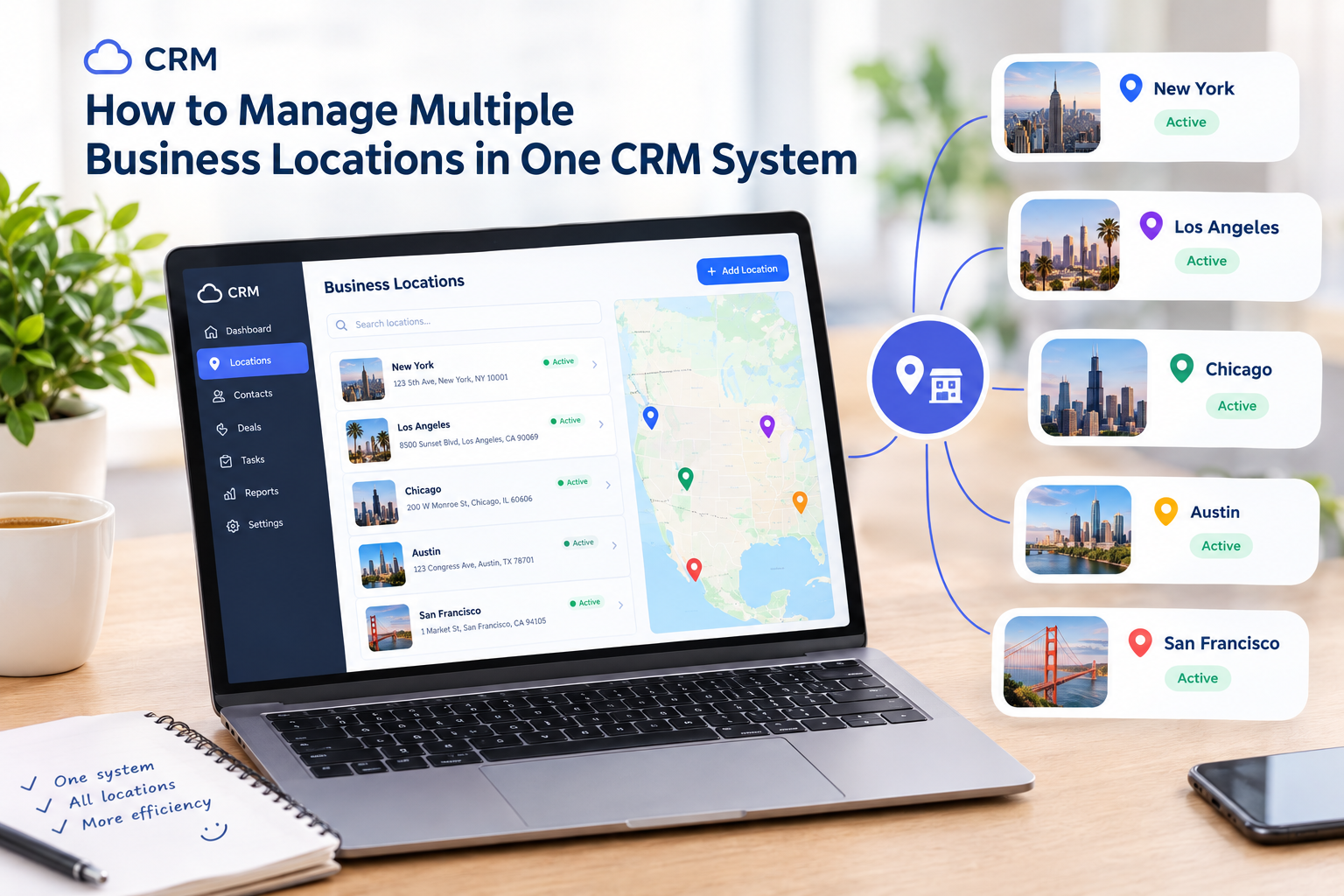
How to Manage Multiple Business Locations in One CRM System
Managing several business locations can be challenging when each branch uses separate tools, spreadsheets, or reporting processes. Business owners need to monitor sales, coordinate employees, maintain customer records, and keep daily operations consistent across every location. Without a centralized system, even simple tasks can take extra time and lead to errors.
A CRM system for multiple business locations helps bring important business information together. Instead of switching between different platforms, managers can use one system to organize customer data, review performance, coordinate teams, and maintain better control over their operations.
For businesses with several branches, a platform such as ME-POS can help connect customer management, sales, inventory, employee management, and reporting in one place.

Why Businesses Need Multi-Location Management
As a business grows, its operational needs become more complicated. A single salon may be easy to manage manually, but coordinating five branches with different teams, schedules, and stock levels requires a more organized approach.
A centralized CRM system helps businesses:
- Save time: Access information from multiple locations without switching between separate tools.
- Improve consistency: Maintain similar service standards and processes across branches.
- Understand performance: Compare sales, customer activity, and other available metrics between locations.
- Coordinate employees: Organize teams, responsibilities, and schedules more efficiently.
- Improve customer service: Give staff access to relevant customer information when needed.
- Support expansion: Establish repeatable processes that make opening new branches easier.
The goal is not simply to manage several addresses. It is to make all locations work together while allowing each branch to handle its own daily responsibilities.
1. Centralize Business Information
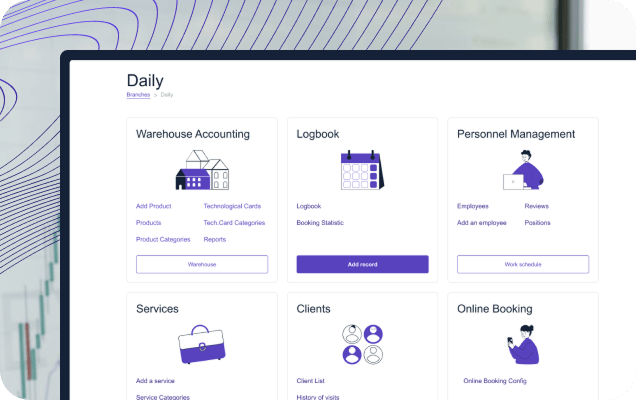
The first step is bringing essential information into one system. When customer records, sales information, employee details, and inventory data are scattered across different applications, managers have to spend time collecting information before they can make decisions.
A centralized platform provides a more consistent way to access business data.
- Customer records: Keep customer information organized and accessible to authorized employees.
- Sales data: Review available sales information without collecting separate reports manually.
- Service information: Maintain consistent details about products and services offered across branches.
- Employee records: Organize staff information and responsibilities.
- Inventory information: Monitor stock and product availability where inventory features support it.
Before centralizing data, define which information should be shared across all branches and which details should remain specific to an individual location. This helps avoid confusion and keeps the system organized as the company grows.

2. Organize Each Branch Separately
Centralization does not mean every location should operate identically. A restaurant, retail store, or beauty salon may have different opening hours, employees, products, and customer demand at each branch.
A good multi-location CRM setup allows managers to maintain an overall view while keeping branch-specific information distinct.
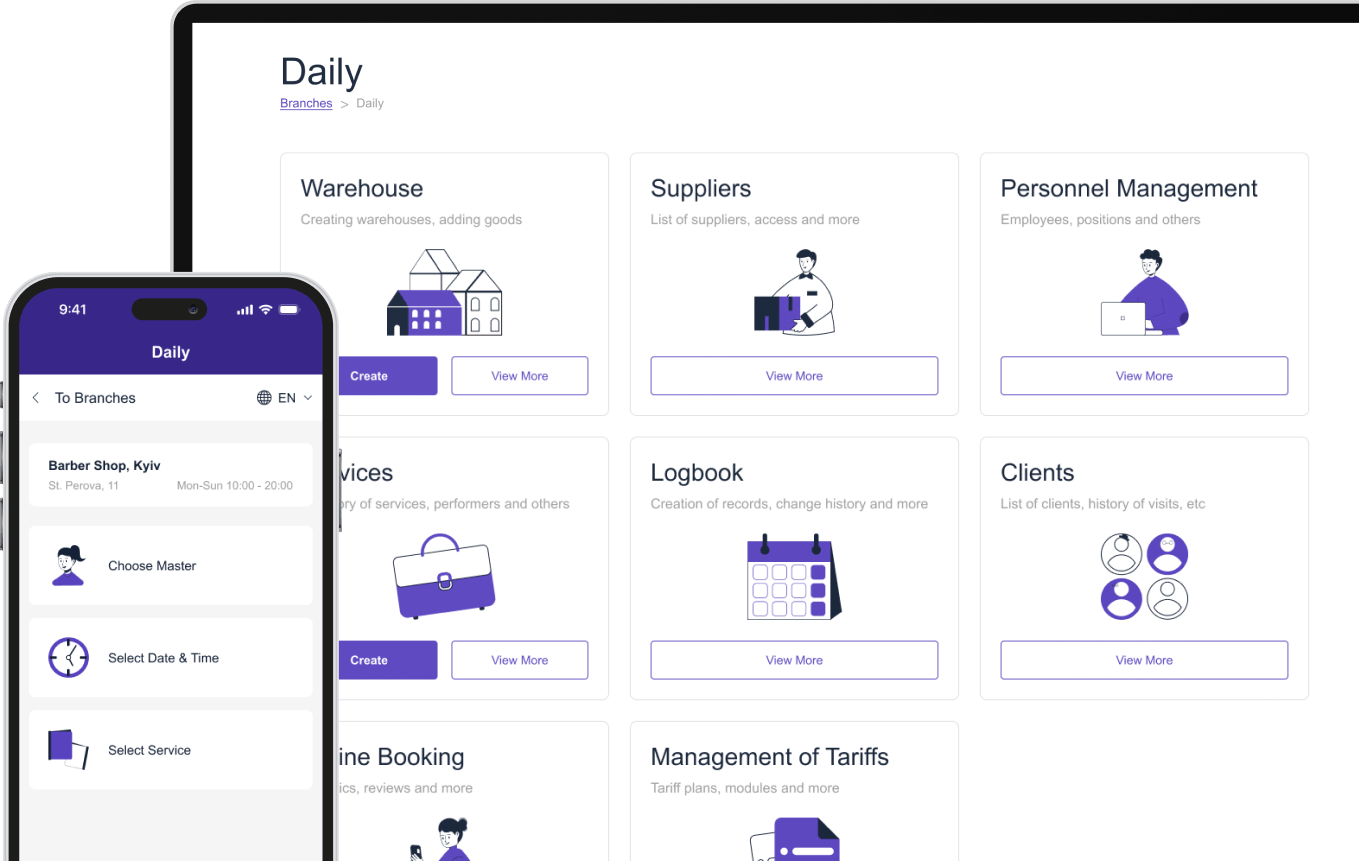
- Set up location profiles: Record the details needed to identify and manage each branch.
- Define working hours: Set schedules according to each location's operating hours.
- Assign employees: Connect team members with their relevant responsibilities and locations.
- Manage local services and products: Account for differences in what each branch offers.
- Review branch activity: Monitor available reports to understand how each location performs.
For example, a beauty salon chain may offer hair coloring at every branch but provide specialist skincare treatments only at selected locations. Separate branch information helps customers and employees understand what is available without making the entire business difficult to manage.
3. Manage Customers Across Locations
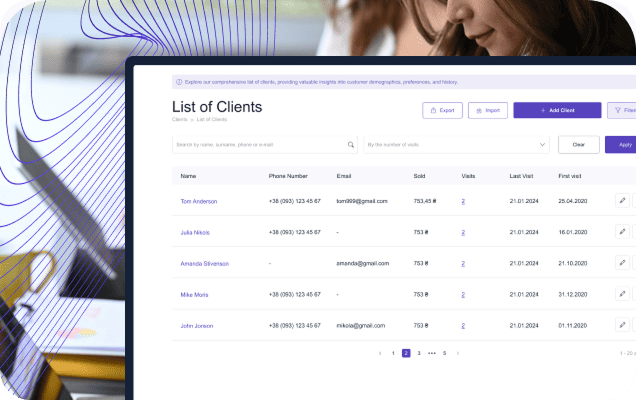
Customers may visit different branches depending on their schedule, location, or preferred service. If their information is stored in disconnected systems, staff may need to collect the same details repeatedly.
A centralized CRM helps businesses maintain organized customer records and provide a more consistent experience.
- Maintain customer profiles: Keep relevant contact details and customer information organized.
- Review customer history: Access available records of previous purchases, appointments, or interactions.
- Support repeat visits: Use customer information to make future interactions more convenient.
- Coordinate communication: Keep customer communication organized according to business processes and permissions.
- Protect customer data: Restrict access to sensitive information based on employee roles and responsibilities.
For example, a customer who usually visits one salon branch may book an appointment at another location while traveling. Access to relevant customer history, where permitted and supported by the system, can help the second branch provide a smoother experience.
4. Track Sales and Compare Branch Performance
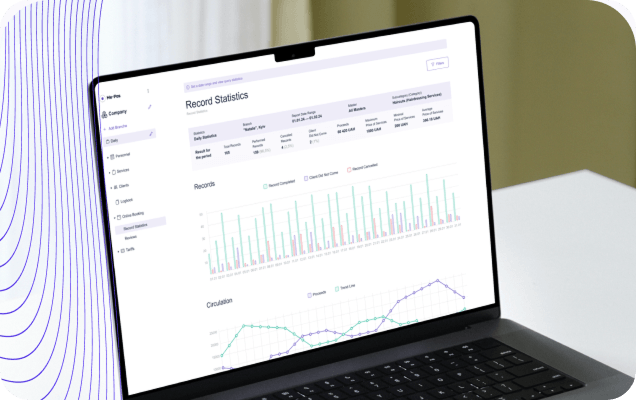
Sales reports help owners understand which locations are performing well and where changes may be needed. Instead of relying on general impressions, managers can review available data and compare results across branches.
A multi-location CRM and POS system such as ME-POS supports centralized oversight of sales, inventory, and staff performance across stores.
- Monitor sales by location: Review sales results for each branch to understand how it contributes to overall business performance.
- Identify popular products and services: Find out what customers buy most often at different locations.
- Compare performance over time: Look for changes in sales and customer activity across days, weeks, or months.
- Recognize local trends: Understand why one branch may perform differently from another.
- Set measurable goals: Use historical results to establish realistic targets for each location.
For example, if one retail store consistently sells more of a particular product, managers can investigate whether the difference comes from customer demand, product availability, or local promotions. These insights help businesses make more informed decisions.
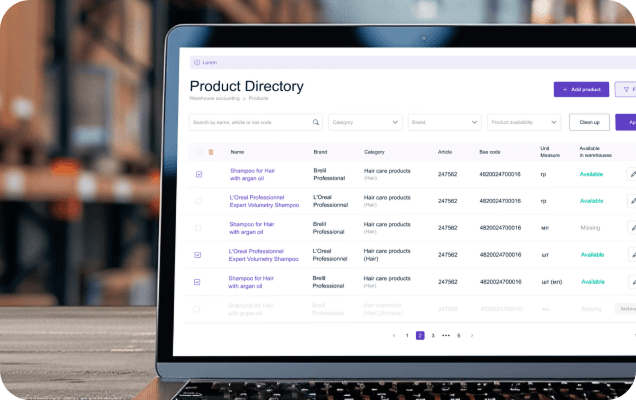
5. Manage Inventory Across Locations
Inventory management becomes more complicated when products are stored and sold at several locations. One branch may run out of a popular item while another has excess stock.
A centralized inventory process helps managers understand stock levels and plan replenishment more effectively.
- Monitor stock by branch: Keep track of the products available at each location.
- Identify low-stock items: Check which products need replenishment before shortages affect sales.
- Plan purchasing: Use sales patterns and stock information to estimate future needs.
- Coordinate stock transfers: Where supported, move products between locations when one branch needs stock that another has available.
- Reduce overstocking: Avoid ordering excessive quantities of products with low demand.
- Review inventory differences: Investigate discrepancies between recorded quantities and physical stock.
ME-POS provides multi-store inventory management features, including stock tracking, low-stock alerts, and transfers between stores.
These tools can help retailers reduce avoidable stock problems and make better use of available inventory.

6. Coordinate Employees and Responsibilities
Every branch needs clear responsibilities. Employees should understand their roles, managers need visibility into daily operations, and business owners need confidence that established processes are being followed.
A centralized system can help organize employee information and make routine coordination easier.
- Assign employees to locations: Keep branch responsibilities clear.
- Organize schedules: Coordinate working hours and staffing needs for each location.
- Track staff performance: Review available employee or sales metrics to identify strengths and areas for improvement.
- Standardize training: Use consistent processes so employees can work effectively across different branches.
- Control system access: Give employees access to the information and functions required for their roles.
For example, a salon chain can establish common service procedures across all locations while allowing each branch manager to organize the local schedule. This creates consistency without removing the flexibility needed for daily operations.

7. Standardize Processes Across Branches
Customers expect a consistent experience regardless of which location they visit. Different prices, confusing service descriptions, or inconsistent procedures can weaken trust in the brand.
A CRM and POS platform helps businesses establish common workflows and maintain important information in a structured format.
To improve consistency:
- Create shared procedures: Document how employees should handle common tasks.
- Standardize product and service information: Keep names, descriptions, and other details consistent where appropriate.
- Coordinate price changes: Establish a clear process for updating prices across relevant locations.
- Use common customer service standards: Set expectations for communication, problem-solving, and service quality.
- Review branch compliance: Check whether employees follow the agreed procedures.
Not every branch needs identical offerings. Local menus, services, and working hours may differ. The important point is to maintain consistent standards while allowing justified local variations.

8. Automate Routine Tasks
When several locations rely on manual administration, small tasks can consume a surprising amount of time. Employees may repeatedly enter customer information, prepare reports, check stock, or send appointment reminders.
Automation reduces repetitive work and allows teams to focus on customers and essential operational responsibilities.
Depending on the platform and its configuration, useful automated processes may include:
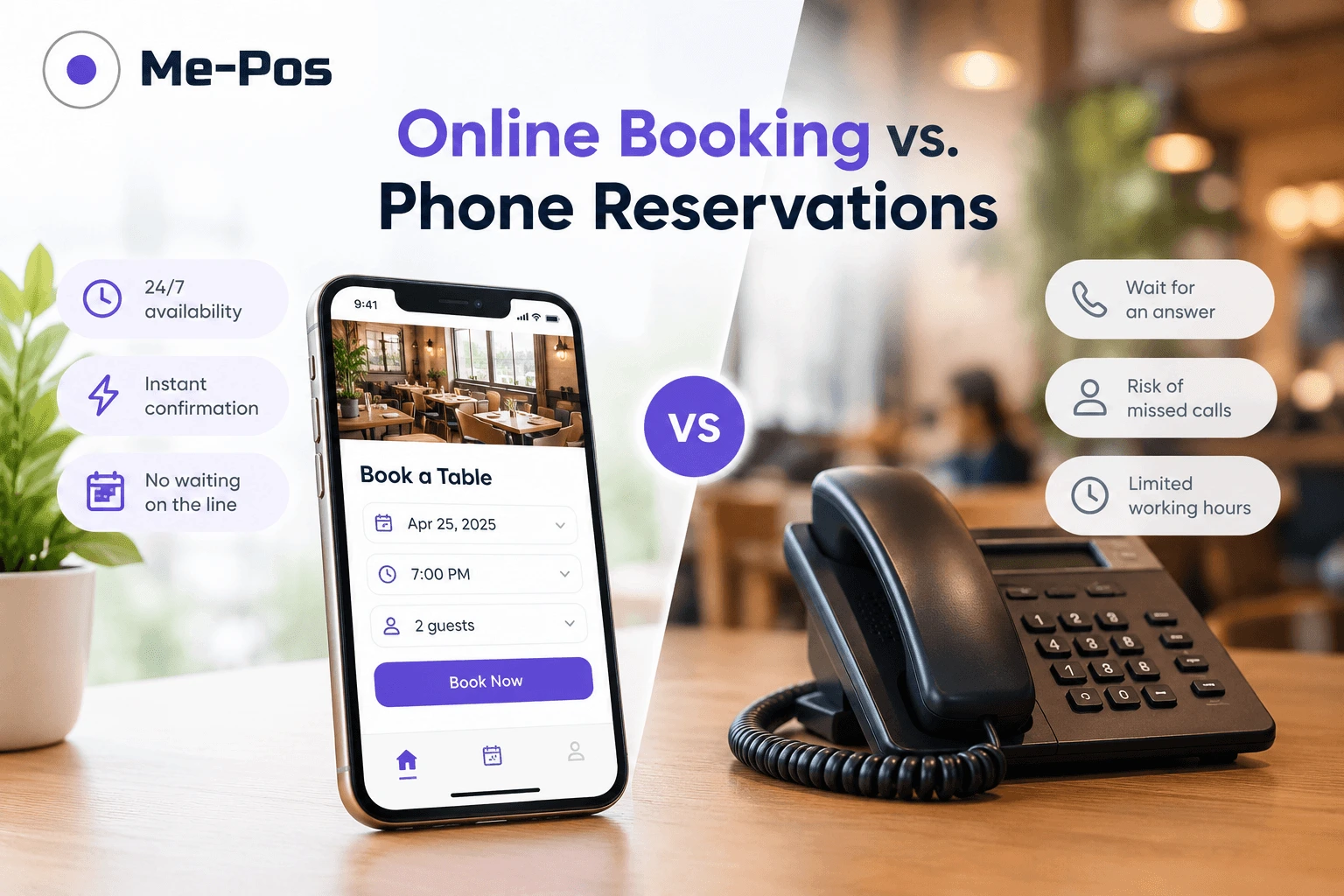
- Appointment booking: Allow customers to book services online instead of requiring staff to manage every request manually.
- Booking reminders: Send reminders to help customers remember upcoming appointments.
- Stock monitoring: Use inventory alerts to identify products that need attention.
- Sales reporting: Generate reports that reduce the need to collect figures manually.
- Customer communication: Organize customer information to support relevant follow-ups and promotions.
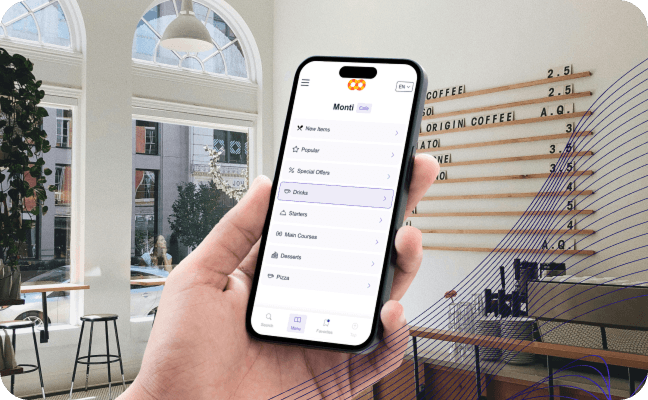
ME-POS combines capabilities such as online booking, customer management, inventory control, product sales, and reporting in one platform.
The right setup can help reduce administrative work across a growing business.
9. Protect Data and Set Access Permissions
Centralizing information is useful, but it also makes access management important. Employees should be able to complete their work without automatically receiving access to every branch's sensitive data.
A practical access policy should address the following:
- Role-based permissions: Assign access according to job responsibilities.
- Branch-specific access: Limit location-level information to the appropriate employees when the system supports it.
- Account security: Require strong passwords and appropriate authentication measures.
- Employee changes: Review permissions when staff change roles or leave the company.
- Data handling: Establish clear rules for using and sharing customer information.
For example, a branch manager may need access to local sales and employee schedules, while the business owner may need a consolidated view of the entire organization. Clearly defined permissions help maintain control without making everyday work unnecessarily difficult.

10. Choose a CRM System That Can Grow With Your Business
A system that works for two locations may become difficult to manage when the business expands to ten or twenty branches. Before choosing software, consider how it will support your future plans.
Look for a platform that offers:
- Centralized management of multiple locations.
- Customer records and interaction history.
- Sales tracking and reporting.
- Inventory management, if relevant to your business.
- Employee and appointment management.
- Appropriate access permissions.
- Useful integrations with existing business tools.
- A clear process for adding new branches.
- Pricing and subscription limits that match your growth plans.
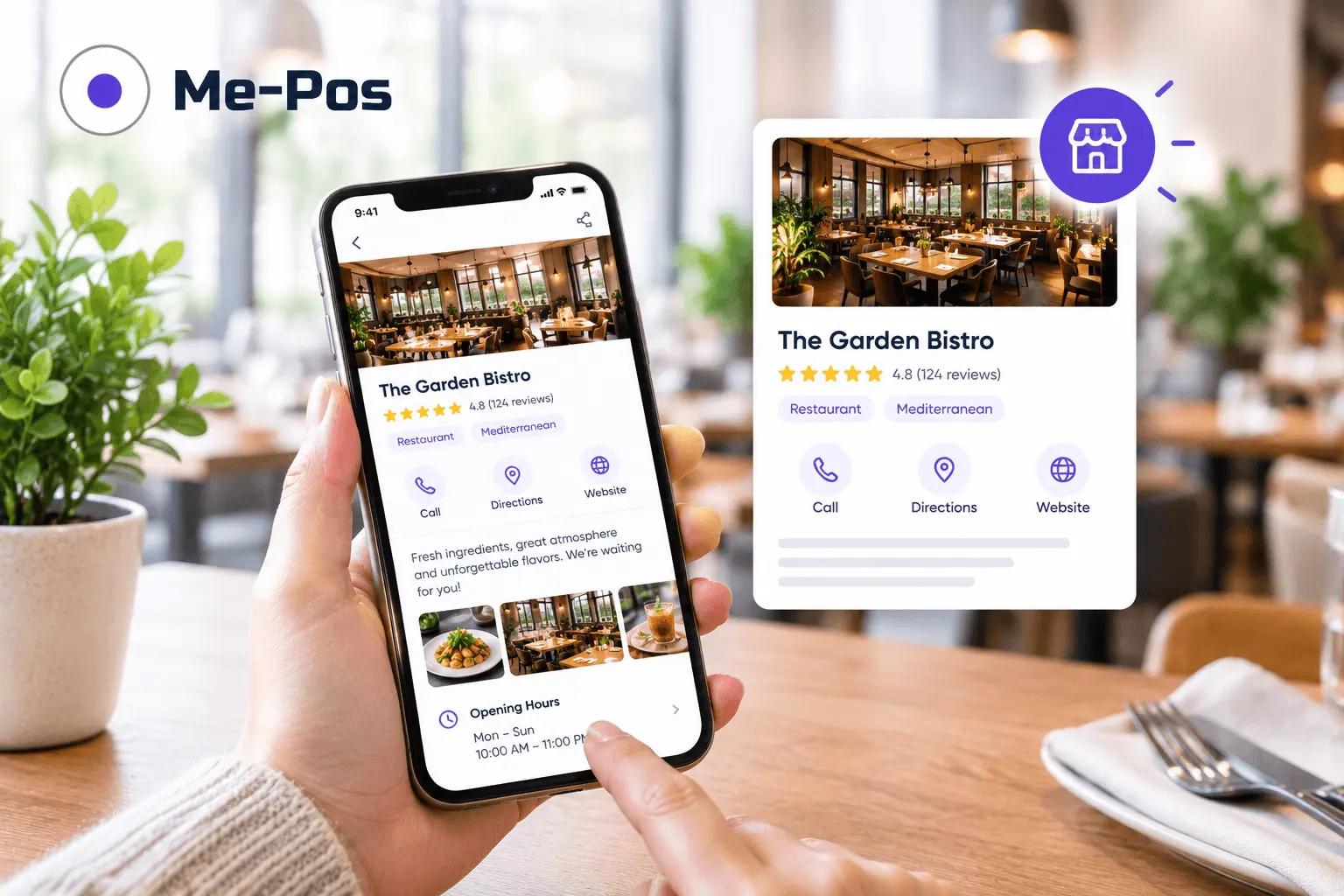
ME-POS offers multi-store management for businesses that need centralized oversight of locations, inventory, sales, and staff. Its features are designed to support businesses as their operational needs grow.
Start Your Me-Pos
Experience for Free!
Make sure that Me-Pos Online Booking meets your needs and requirements before making a final decision.
Use for Free
Key Features to Compare in a Multi-Location CRM
Feature
Why It Matters
What to Look For
Centralized customer management
Helps maintain organized customer records
Shared customer information and relevant history
Branch management
Keeps locations organized
Separate location profiles and branch-level settings
Sales reporting
Helps compare business performance
Reports by location and consolidated results
Inventory control
Supports product availability
Stock tracking, low-stock alerts, and transfers where needed
Employee management
Clarifies responsibilities
Staff records, schedules, and appropriate permissions
Automation
Reduces repetitive work
Booking reminders, reporting tools, and inventory alerts
Access control
Helps protect business information
Permissions based on roles and responsibilities
Scalability
Supports future expansion
A straightforward way to add locations and users
How to Implement a Multi-Location CRM System
Moving to a centralized system is easier when the implementation follows a clear plan. You do not need to change every process at once. Start with the areas that create the most administrative work or operational problems.
- Review your current processes. Identify where customer records, sales data, inventory information, and employee details are stored.
- Define your requirements. Decide which information should be shared and which should remain specific to each branch.
- Set up your locations. Add branch details, operating hours, employees, and relevant products or services.
- Organize existing data. Remove duplicate records and correct outdated information before importing or entering it.
- Configure access permissions. Make sure employees can access the information needed for their roles.
- Train your teams. Show employees how to use the system and follow the same core procedures.
- Test everyday workflows. Check sales recording, customer management, inventory updates, and reporting.
- Review the results. Collect employee feedback and monitor whether the new system reduces errors and administrative work.
A gradual rollout can help teams adapt while allowing managers to address problems before extending the system across every location.

Conclusion
Managing multiple business locations in one CRM system helps owners maintain visibility without handling every branch separately. Centralized customer records, sales reporting, inventory management, employee coordination, and automation can make everyday operations more organized and consistent.
The best approach combines shared oversight with enough flexibility for each location to meet its own needs. By choosing a scalable platform, establishing clear processes, and training employees, businesses can simplify management and prepare for future expansion.
ME-POS brings together multi-store management, sales, inventory, customer management, and other operational tools to help businesses coordinate their locations from one platform. For growing businesses, this can provide a more structured way to manage daily operations while keeping an eye on overall performance.
Frequently Asked Questions about Managing Multiple Business Locations in One CRM System
It is a platform that helps businesses organize customer information and coordinate operations across several branches. Depending on its features, it may also support sales tracking, inventory, employee management, appointments, and reporting.
Yes, if the CRM supports shared customer records. Businesses should configure access permissions carefully so employees can view the information they need while customer data remains appropriately protected.
It helps reduce duplicated work, organize customer information, compare branch results, and identify operational problems. Managers can use available data to make more informed decisions about staffing, inventory, services, and sales.
Yes. Multi-location inventory software can track stock by branch and help identify shortages or excess inventory. Some systems also support low-stock alerts and transfers between locations.
Yes. Even a business with two branches can benefit from centralized customer records, consistent processes, and easier reporting. Choose a solution that fits your current needs and allows you to expand without unnecessary complexity.
Me-Pos Team
Last modified 12.10.2026
Was This Article Helpful?
Click on a star to rate it!
Thank you for your vote!

Average Rating: 5/5 Votes: 1
Be the first to rate this post!
Share with Friends:
















































View more
Related Articles

1301
5
What is a Warehouse Management System: All You Need to Know
In the rapidly evolving landscape of supply chain and logistics, efficient warehouse management has become a cornerstone of business success. As compa...
Me-Pos Team
|
13.12.2024
|
18min

140
5
How to Set Up Online Booking by Staff, Services, and Working Hours
Managing appointments manually can become complicated as your business grows. Whether you run a beauty salon, restaurant, hotel, sports club, or anoth...
Me-Pos Team
|
21.09.2026
|
11min
142
5
How to Update Your Restaurant Menu Without Reprinting for Seasonal and Limited-Time Offers
Restaurant menus rarely stay the same all year. A summer café may want to add fresh salads and cold drinks, while a restaurant might introduce pumpkin...
Me-Pos Team
|
09.09.2026
|
11min

309
5
How QR Menus Reduce Staff Workload and Improve Table Turnover
The restaurant industry is constantly searching for ways to improve efficiency, reduce operational costs, and provide better customer experiences. In ...
Me-Pos Team
|
02.06.2026
|
13min

349
5
How Inventory Tracking Prevents Losses in Service Businesses
In service-based businesses like beauty salons, spas, tattoo studios, and car washes, inventory often goes unnoticed — until it starts causing problem...
Me-Pos Team
|
14.04.2026
|
10min
446
5
How to Build an Efficient Staff Schedule for Service Businesses
Creating an efficient staff schedule is one of the most important — and often overlooked — aspects of running a successful service business. Whether y...
Me-Pos Team
|
06.04.2026
|
9min

857
5
KPIs for Beauty Salon Staff: How to Measure Employee Performance and Efficiency
Running a successful beauty salon isn’t just about offering great services or stylish interiors — it’s about building a high-performing team. Your sty...
Me-Pos Team
|
23.02.2026
|
8min

What Is E-Booking and How It Can Elevate Your Hotel's Success
The hospitality industry is evolving rapidly, and the integration of technology plays a critical role in shaping guest experiences. One of the most tr...
Me-Pos Team
|
01.08.2025
|
10min

976
5
Guide on How to Start a Hotel Business: All You Need to Know
Starting a hotel business can be an exciting and rewarding venture, but it requires careful planning, significant investment, and a thorough understan...
Me-Pos Team
|
30.07.2025
|
10min

992
5
Restaurant Floor Planning: Strategies for Optimal Space Utilization
Designing the floor plan of a restaurant is one of the most crucial steps to building a thriving business. It’s more than just arranging tables—it’s a...
Me-Pos Team
|
09.04.2025
|
8min

1166
5
What Is a Barback? Understanding the Role and Responsibilities
In a bar, the barback is the hero working behind the scenes, keeping everything running smoothly. While bartenders are out there mixing drinks and cha...
Me-Pos Team
|
13.03.2025
|
8min

1245
5
Essential Retail KPIs: Measuring Success and Growth
Running a retail business is a balancing act. You have to manage products, customers, employees, and the store itself, all while trying to turn a prof...
Me-Pos Team
|
19.12.2024
|
14min

Mastering Customer Retention: How to Create Loyalty Programs?
Customer retention refers to a company’s ability to keep its customers over a sustained period, ensuring they continue to choose its products or servi...
Me-Pos Team
|
17.12.2024
|
15min

1125
5
Best Non-Slip Restaurant Shoes
In the bustling environment of a restaurant, safety, and comfort are paramount for the well-being of workers. Non-slip restaurant industry shoes are c...
Me-Pos Team
|
30.09.2024
|
12min

950
4.9
How to Ask a Customer for Review and Feedback: Build Your Reputation
Gathering customer reviews is essential for any business looking to build trust, improve services, and grow its online presence. However, how to ask c...
Me-Pos Team
|
31.07.2025
|
10min

701
4.7
Choosing the Best CRM for Realtors: Key Features and Considerations
Real estate is one of the most competitive industries out there. Whether you’re managing dozens of properties, closing sales with clients, or running ...
Me-Pos Team
|
09.04.2025
|
6min
1301
5
What is a Warehouse Management System: All You Need to Know
In the rapidly evolving landscape of supply chain and logistics, efficient warehouse management has become a cornerstone of business success. As compa...
Me-Pos Team
|
13.12.2024
|
18min
140
5
How to Set Up Online Booking by Staff, Services, and Working Hours
Managing appointments manually can become complicated as your business grows. Whether you run a beauty salon, restaurant, hotel, sports club, or anoth...
Me-Pos Team
|
21.09.2026
|
11min
142
5
How to Update Your Restaurant Menu Without Reprinting for Seasonal and Limited-Time Offers
Restaurant menus rarely stay the same all year. A summer café may want to add fresh salads and cold drinks, while a restaurant might introduce pumpkin...
Me-Pos Team
|
09.09.2026
|
11min
309
5
How QR Menus Reduce Staff Workload and Improve Table Turnover
The restaurant industry is constantly searching for ways to improve efficiency, reduce operational costs, and provide better customer experiences. In ...
Me-Pos Team
|
02.06.2026
|
13min
349
5
How Inventory Tracking Prevents Losses in Service Businesses
In service-based businesses like beauty salons, spas, tattoo studios, and car washes, inventory often goes unnoticed — until it starts causing problem...
Me-Pos Team
|
14.04.2026
|
10min
446
5
How to Build an Efficient Staff Schedule for Service Businesses
Creating an efficient staff schedule is one of the most important — and often overlooked — aspects of running a successful service business. Whether y...
Me-Pos Team
|
06.04.2026
|
9min
857
5
KPIs for Beauty Salon Staff: How to Measure Employee Performance and Efficiency
Running a successful beauty salon isn’t just about offering great services or stylish interiors — it’s about building a high-performing team. Your sty...
Me-Pos Team
|
23.02.2026
|
8min
What Is E-Booking and How It Can Elevate Your Hotel's Success
The hospitality industry is evolving rapidly, and the integration of technology plays a critical role in shaping guest experiences. One of the most tr...
Me-Pos Team
|
01.08.2025
|
10min
976
5
Guide on How to Start a Hotel Business: All You Need to Know
Starting a hotel business can be an exciting and rewarding venture, but it requires careful planning, significant investment, and a thorough understan...
Me-Pos Team
|
30.07.2025
|
10min
992
5
Restaurant Floor Planning: Strategies for Optimal Space Utilization
Designing the floor plan of a restaurant is one of the most crucial steps to building a thriving business. It’s more than just arranging tables—it’s a...
Me-Pos Team
|
09.04.2025
|
8min
1166
5
What Is a Barback? Understanding the Role and Responsibilities
In a bar, the barback is the hero working behind the scenes, keeping everything running smoothly. While bartenders are out there mixing drinks and cha...
Me-Pos Team
|
13.03.2025
|
8min
1245
5
Essential Retail KPIs: Measuring Success and Growth
Running a retail business is a balancing act. You have to manage products, customers, employees, and the store itself, all while trying to turn a prof...
Me-Pos Team
|
19.12.2024
|
14min
Mastering Customer Retention: How to Create Loyalty Programs?
Customer retention refers to a company’s ability to keep its customers over a sustained period, ensuring they continue to choose its products or servi...
Me-Pos Team
|
17.12.2024
|
15min
1125
5
Best Non-Slip Restaurant Shoes
In the bustling environment of a restaurant, safety, and comfort are paramount for the well-being of workers. Non-slip restaurant industry shoes are c...
Me-Pos Team
|
30.09.2024
|
12min
950
4.9
How to Ask a Customer for Review and Feedback: Build Your Reputation
Gathering customer reviews is essential for any business looking to build trust, improve services, and grow its online presence. However, how to ask c...
Me-Pos Team
|
31.07.2025
|
10min
701
4.7
Choosing the Best CRM for Realtors: Key Features and Considerations
Real estate is one of the most competitive industries out there. Whether you’re managing dozens of properties, closing sales with clients, or running ...
Me-Pos Team
|
09.04.2025
|
6min
View more
