
How to Set Up Online Booking by Staff, Services, and Working Hours
Managing appointments manually can become complicated as your business grows. Whether you run a beauty salon, restaurant, hotel, sports club, or another service business, you need an organized way to manage services, employee availability, customer information, and bookings.
An online booking system simplifies this process by allowing customers to schedule services independently while helping businesses manage appointments and working hours from one platform.
With ME-POS, businesses can organize booking information, manage schedules, automate routine tasks, and improve the customer experience. In this guide, we'll explain how to set up online booking by staff, services, and working hours.


What Is an Online Booking System?
An online booking system is software that automates the booking and order management process. It allows customers to view available services, select suitable times, and schedule appointments online.
Businesses can use booking software to manage:
- Customer appointments and reservations.
- Service availability and duration.
- Employee schedules.
- Customer information.
- Booking confirmations and reminders.
- Payment options.
- Booking analytics and reports.
Instead of relying only on phone calls, messages, or paper calendars, businesses can organize their booking process digitally.

1. Add Your Services
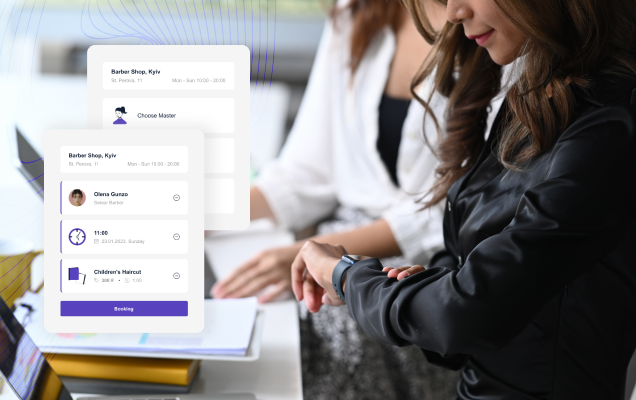
The first step is to create a list of services customers can book. Each service should include enough information to help customers understand what they are choosing.
For example, a beauty salon may offer haircuts, coloring, manicures, and facials. A sports club might provide personal training, group classes, and court reservations.
When adding services, include:
- Service name: Use a clear and recognizable title.
- Description: Explain what the service includes.
- Duration: Specify how much time the service requires.
- Price: Display the current cost when applicable.
- Available staff: Connect the service with employees who provide it.
- Additional options: Add relevant upgrades, packages, or extras.
Accurate service information helps customers make better decisions and allows the booking system to calculate available time slots more effectively.
2. Add and Organize Your Staff
After creating your services, add the employees who will handle bookings.
Each staff member may have different skills, working hours, and availability. Connecting employees with the correct services helps prevent customers from booking an unsuitable specialist.
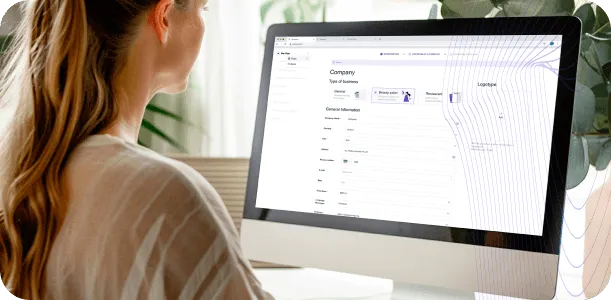
When setting up staff profiles, consider adding:
- Employee name and contact information.
- Services they can provide.
- Working days and hours.
- Breaks and days off.
- Individual availability.
- Assigned location or branch, if applicable.
For example, a salon may have several hairdressers, but only one employee may offer advanced coloring services. Assigning services correctly helps the system show customers the right booking options.
3. Set Up Working Hours
Accurate working hours are essential for effective appointment scheduling. If your calendar doesn't reflect the actual availability of your team, customers may see incorrect time slots or create scheduling conflicts.
Start by defining your business hours and then configure individual employee schedules.
Your setup may include:
- Opening and closing hours.
- Employee working shifts.
- Lunch and rest breaks.
- Days off and holidays.
- Different schedules for weekdays and weekends.
- Service-specific availability.
- Branch-specific working hours.
For example, a business might operate from 9:00 AM to 7:00 PM, while one employee works from 9:00 AM to 3:00 PM and another works from 1:00 PM to 7:00 PM.
Setting up these details correctly helps optimize schedules and reduce double bookings.
4. Define Service Duration and Availability
Every service requires a specific amount of time. A haircut might take 30 minutes, while a coloring appointment could require two hours.
The booking system should use these durations when showing available appointment slots.
Check the following details:
- Standard service duration.
- Preparation and cleanup time.
- Available booking intervals.
- Employees who can provide the service.
- Time periods when the service is unavailable.
- Additional time required for selected options.
Accurate durations help prevent appointments from overlapping and give staff enough time to complete each service properly.

5. Configure the Online Booking Process
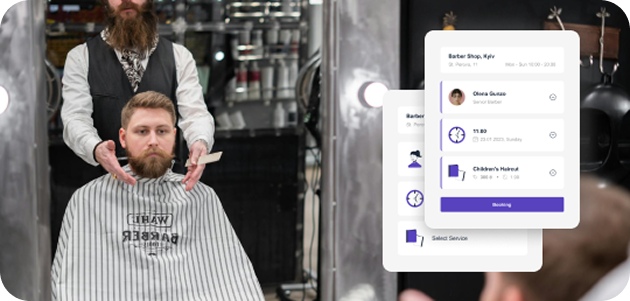
Once your services, employees, and working hours are ready, configure the customer booking flow.
The process should be simple and easy to understand. Customers shouldn't need to contact staff for basic information about available services or appointment times.
A typical booking process includes:
- The customer opens the online booking page.
- They select a service.
- They choose a preferred employee, if available.
- They select a date and time.
- They enter their contact information.
- They confirm the appointment.
- They receive a confirmation notification.
A user-friendly interface makes booking more convenient and reduces the number of manual requests your staff needs to handle.

6. Enable Booking Confirmations and Reminders
Automatic notifications help customers stay informed about their appointments.
After a booking is created, the system can send a confirmation with relevant information. Reminders can then be sent before the scheduled appointment.
Important notifications may include:
- Booking confirmation.
- Appointment date and time.
- Selected service.
- Assigned employee.
- Business location.
- Reminder before the appointment.
- Updates about cancellations or rescheduling.
These notifications can help reduce misunderstandings, forgotten appointments, and unnecessary communication between customers and staff.

7. Connect Booking With Payment Options
Depending on your business model, you may want customers to pay online, make a deposit, or pay after receiving the service.
Integrating payment options into the booking process can make transactions more convenient and help businesses manage prepayments.
Consider the following:
- Whether payment is required during booking.
- Whether customers can pay at the business.
- Whether deposits are necessary.
- Which payment methods are supported.
- How cancellations and refunds are handled.
- How payments are recorded.
ME-POS supports integration with payment processes, helping businesses connect booking activities with other operational workflows.

8. Test Your Booking Setup
Before making the booking system available to customers, test the entire process.
Testing helps identify incorrect schedules, missing services, and other problems before they affect real appointments.
Check whether:
- All services appear correctly.
- Prices and durations are accurate.
- Staff members are assigned to the right services.
- Working hours are configured correctly.
- Unavailable time slots are blocked.
- Confirmation notifications are delivered.
- The booking page works on mobile devices.
- Customers can complete the process without confusion.
Try booking different services and employees to make sure the system works in various situations.
9. Analyze Bookings and Optimize Schedules
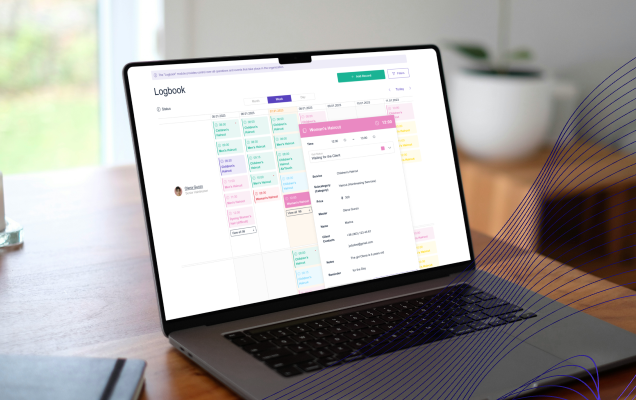
Online booking software can provide useful information about customer preferences and business performance.
By reviewing booking data, managers can better understand demand and identify opportunities to improve their schedules.
Useful information may include:
- Most frequently booked services.
- Busiest days and hours.
- Employee workload.
- Number of cancellations.
- Customer booking patterns.
- Frequently selected appointment times.
- Available time slots with low demand.
These insights can help businesses adjust working hours, allocate staff more effectively, and improve service planning.
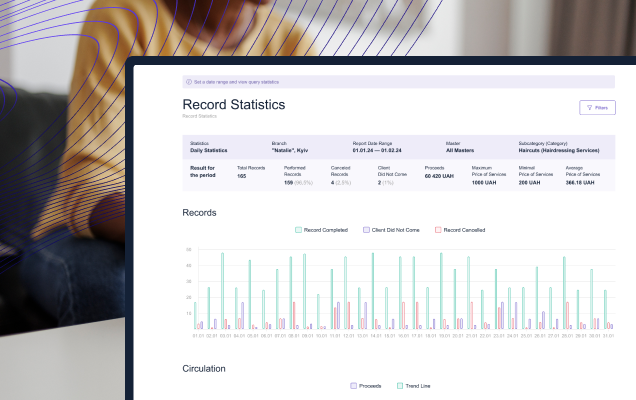
10. Use ME-POS to Manage Booking Operations
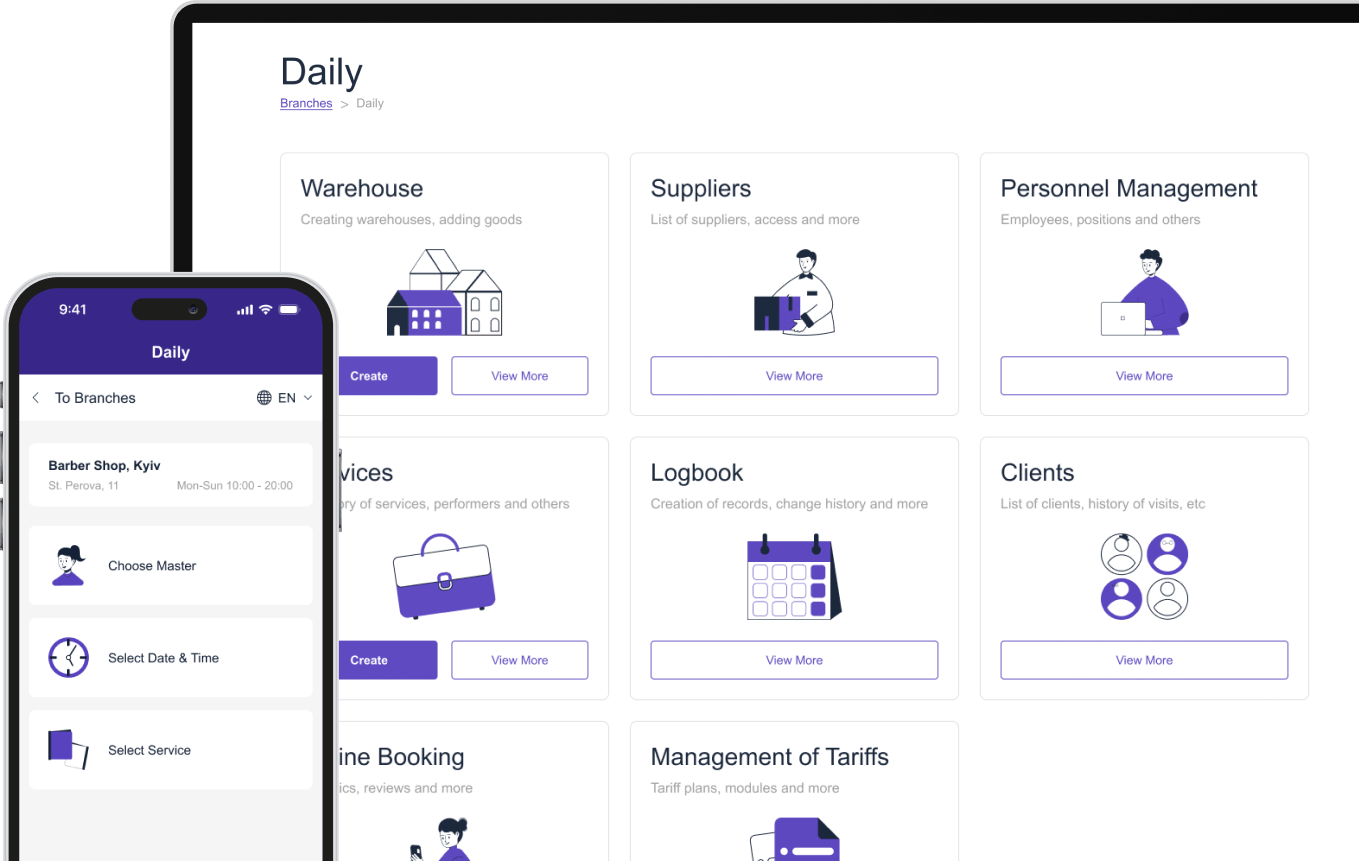
ME-POS provides booking functionality designed to support different types of service businesses, including restaurants, beauty salons, hotels, sports clubs, and other enterprises.
The platform can help businesses organize booking information and connect scheduling with broader management processes.
With ME-POS, businesses can focus on:
- Managing service information.
- Organizing staff schedules.
- Allowing customers to book online.
- Sending booking notifications.
- Reviewing booking data.
- Improving daily operational efficiency.
- Connecting booking with payment and customer management workflows.
By combining these processes in one system, businesses can reduce repetitive administrative work and create a more organized booking experience.
Start Your Me-Pos
Experience for Free!
Make sure that Me-Pos Online Booking meets your needs and requirements before making a final decision.
Use for Free
Online Booking Setup Checklist
Setup Area
What to Configure
Main Benefit
Services
Names, descriptions, prices, and durations
Helps customers choose the right service
Staff
Employee profiles and assigned services
Shows customers suitable specialists
Working Hours
Shifts, breaks, days off, and availability
Reduces scheduling conflicts
Service Duration
Time required for each appointment
Prevents overlapping bookings
Booking Flow
Service, staff, date, time, and confirmation steps
Makes online scheduling easier
Notifications
Confirmations and appointment reminders
Helps reduce missed appointments
Payments
Deposits, online payments, and payment methods
Creates a more convenient payment process
Testing
Booking scenarios and mobile experience
Helps identify setup problems
Analytics
Booking trends, demand, and cancellations
Supports better business decisions
Advantages of Online Booking for Businesses
An online booking system can solve several common problems related to manual scheduling.
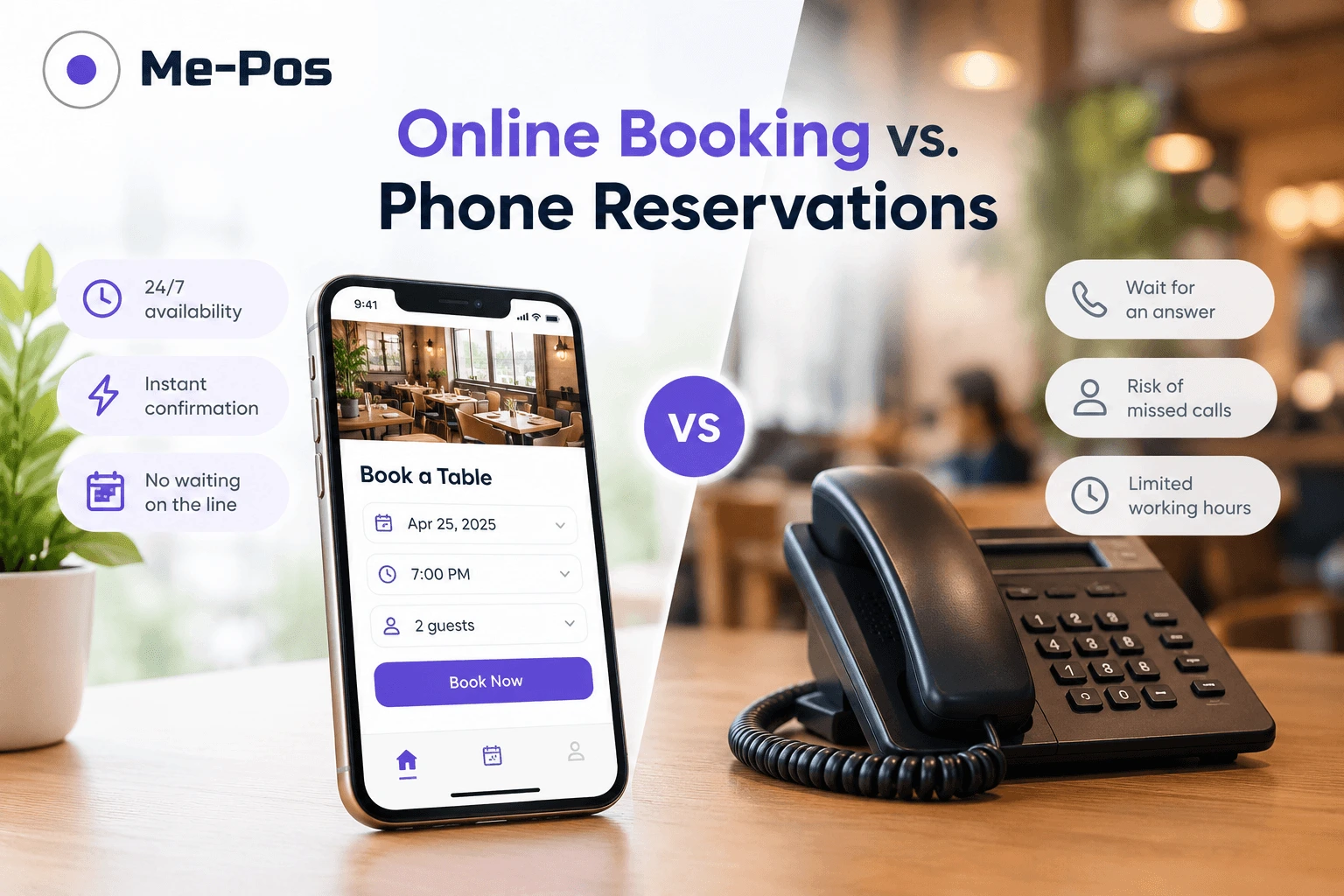
- Enhanced Customer Service: Customers can book services whenever it is convenient for them. A simple booking interface reduces waiting times and makes the overall experience easier.
- Booking Automation: The system allows customers to schedule appointments independently, reducing the number of routine booking requests handled by staff. This gives employees more time to focus on customers and daily operations.
- Reduced Cancellations and No-Shows: Automatic reminders help customers remember upcoming appointments. Clear confirmations and timely notifications can also reduce misunderstandings about booking details.
- Improved Schedule Management: A centralized calendar helps businesses organize employee availability and avoid double bookings. Managers can also identify empty time slots and plan resources more effectively.
- Analytics and Reports: Booking data can show customer preferences, popular services, and busy periods. Businesses can use these insights to improve schedules and adjust their services.
- Payment Integration: Online payment options can make booking more convenient and support prepayment when required. Connecting payments with booking information can also simplify administrative work.

Conclusion
Setting up online booking by staff, services, and working hours requires careful preparation, but the benefits can extend across your entire business.
Start by adding clear service information, assigning employees, defining working hours, and configuring accurate appointment durations. Then enable online booking, reminders, payment options, and reporting features.
With ME-POS, businesses can organize their booking process and connect scheduling with other management activities. A well-configured system makes it easier for customers to book services and helps staff manage daily operations more efficiently.
Frequently Asked Questions about Setting Up Online Booking
Include the service name, description, price, duration, available employees, and any relevant options. Clear information helps customers choose correctly and supports accurate scheduling.
Yes. Staff members may have individual shifts, breaks, days off, and service assignments. Configuring these details helps the booking system display accurate availability.
Service duration determines how much time needs to be reserved in the calendar. Accurate durations help prevent overlapping appointments and allow employees to complete services without unnecessary pressure.
Reminders notify customers about upcoming appointments and give them an opportunity to reschedule if necessary. This can help reduce forgotten bookings and improve schedule reliability.
Yes. Booking reports can reveal popular services, busy periods, cancellations, and customer booking patterns. Businesses can use this information to optimize staffing and improve their services.
Me-Pos Team
Last modified 21.09.2026
Was This Article Helpful?
Click on a star to rate it!
Thank you for your vote!

Average Rating: 5/5 Votes: 1
Be the first to rate this post!
Share with Friends:











































View more
Related Articles

1297
5
What is a Warehouse Management System: All You Need to Know
In the rapidly evolving landscape of supply chain and logistics, efficient warehouse management has become a cornerstone of business success. As compa...
Me-Pos Team
|
13.12.2024
|
18min

How to Manage Multiple Business Locations in One CRM System
Managing several business locations can be challenging when each branch uses separate tools, spreadsheets, or reporting processes. Business owners nee...
Me-Pos Team
|
12.10.2026
|
14min
142
5
How to Update Your Restaurant Menu Without Reprinting for Seasonal and Limited-Time Offers
Restaurant menus rarely stay the same all year. A summer café may want to add fresh salads and cold drinks, while a restaurant might introduce pumpkin...
Me-Pos Team
|
09.09.2026
|
11min
306
5
How QR Menus Reduce Staff Workload and Improve Table Turnover
The restaurant industry is constantly searching for ways to improve efficiency, reduce operational costs, and provide better customer experiences. In ...
Me-Pos Team
|
02.06.2026
|
13min

349
5
How Inventory Tracking Prevents Losses in Service Businesses
In service-based businesses like beauty salons, spas, tattoo studios, and car washes, inventory often goes unnoticed — until it starts causing problem...
Me-Pos Team
|
14.04.2026
|
10min
445
5
How to Build an Efficient Staff Schedule for Service Businesses
Creating an efficient staff schedule is one of the most important — and often overlooked — aspects of running a successful service business. Whether y...
Me-Pos Team
|
06.04.2026
|
9min

856
5
KPIs for Beauty Salon Staff: How to Measure Employee Performance and Efficiency
Running a successful beauty salon isn’t just about offering great services or stylish interiors — it’s about building a high-performing team. Your sty...
Me-Pos Team
|
23.02.2026
|
8min

What Is E-Booking and How It Can Elevate Your Hotel's Success
The hospitality industry is evolving rapidly, and the integration of technology plays a critical role in shaping guest experiences. One of the most tr...
Me-Pos Team
|
01.08.2025
|
10min

972
5
Guide on How to Start a Hotel Business: All You Need to Know
Starting a hotel business can be an exciting and rewarding venture, but it requires careful planning, significant investment, and a thorough understan...
Me-Pos Team
|
30.07.2025
|
10min

992
5
Restaurant Floor Planning: Strategies for Optimal Space Utilization
Designing the floor plan of a restaurant is one of the most crucial steps to building a thriving business. It’s more than just arranging tables—it’s a...
Me-Pos Team
|
09.04.2025
|
8min

1166
5
What Is a Barback? Understanding the Role and Responsibilities
In a bar, the barback is the hero working behind the scenes, keeping everything running smoothly. While bartenders are out there mixing drinks and cha...
Me-Pos Team
|
13.03.2025
|
8min

1244
5
Essential Retail KPIs: Measuring Success and Growth
Running a retail business is a balancing act. You have to manage products, customers, employees, and the store itself, all while trying to turn a prof...
Me-Pos Team
|
19.12.2024
|
14min

Mastering Customer Retention: How to Create Loyalty Programs?
Customer retention refers to a company’s ability to keep its customers over a sustained period, ensuring they continue to choose its products or servi...
Me-Pos Team
|
17.12.2024
|
15min

1121
5
Best Non-Slip Restaurant Shoes
In the bustling environment of a restaurant, safety, and comfort are paramount for the well-being of workers. Non-slip restaurant industry shoes are c...
Me-Pos Team
|
30.09.2024
|
12min

950
4.9
How to Ask a Customer for Review and Feedback: Build Your Reputation
Gathering customer reviews is essential for any business looking to build trust, improve services, and grow its online presence. However, how to ask c...
Me-Pos Team
|
31.07.2025
|
10min

699
4.7
Choosing the Best CRM for Realtors: Key Features and Considerations
Real estate is one of the most competitive industries out there. Whether you’re managing dozens of properties, closing sales with clients, or running ...
Me-Pos Team
|
09.04.2025
|
6min
1297
5
What is a Warehouse Management System: All You Need to Know
In the rapidly evolving landscape of supply chain and logistics, efficient warehouse management has become a cornerstone of business success. As compa...
Me-Pos Team
|
13.12.2024
|
18min
How to Manage Multiple Business Locations in One CRM System
Managing several business locations can be challenging when each branch uses separate tools, spreadsheets, or reporting processes. Business owners nee...
Me-Pos Team
|
12.10.2026
|
14min
142
5
How to Update Your Restaurant Menu Without Reprinting for Seasonal and Limited-Time Offers
Restaurant menus rarely stay the same all year. A summer café may want to add fresh salads and cold drinks, while a restaurant might introduce pumpkin...
Me-Pos Team
|
09.09.2026
|
11min
306
5
How QR Menus Reduce Staff Workload and Improve Table Turnover
The restaurant industry is constantly searching for ways to improve efficiency, reduce operational costs, and provide better customer experiences. In ...
Me-Pos Team
|
02.06.2026
|
13min
349
5
How Inventory Tracking Prevents Losses in Service Businesses
In service-based businesses like beauty salons, spas, tattoo studios, and car washes, inventory often goes unnoticed — until it starts causing problem...
Me-Pos Team
|
14.04.2026
|
10min
445
5
How to Build an Efficient Staff Schedule for Service Businesses
Creating an efficient staff schedule is one of the most important — and often overlooked — aspects of running a successful service business. Whether y...
Me-Pos Team
|
06.04.2026
|
9min
856
5
KPIs for Beauty Salon Staff: How to Measure Employee Performance and Efficiency
Running a successful beauty salon isn’t just about offering great services or stylish interiors — it’s about building a high-performing team. Your sty...
Me-Pos Team
|
23.02.2026
|
8min
What Is E-Booking and How It Can Elevate Your Hotel's Success
The hospitality industry is evolving rapidly, and the integration of technology plays a critical role in shaping guest experiences. One of the most tr...
Me-Pos Team
|
01.08.2025
|
10min
972
5
Guide on How to Start a Hotel Business: All You Need to Know
Starting a hotel business can be an exciting and rewarding venture, but it requires careful planning, significant investment, and a thorough understan...
Me-Pos Team
|
30.07.2025
|
10min
992
5
Restaurant Floor Planning: Strategies for Optimal Space Utilization
Designing the floor plan of a restaurant is one of the most crucial steps to building a thriving business. It’s more than just arranging tables—it’s a...
Me-Pos Team
|
09.04.2025
|
8min
1166
5
What Is a Barback? Understanding the Role and Responsibilities
In a bar, the barback is the hero working behind the scenes, keeping everything running smoothly. While bartenders are out there mixing drinks and cha...
Me-Pos Team
|
13.03.2025
|
8min
1244
5
Essential Retail KPIs: Measuring Success and Growth
Running a retail business is a balancing act. You have to manage products, customers, employees, and the store itself, all while trying to turn a prof...
Me-Pos Team
|
19.12.2024
|
14min
Mastering Customer Retention: How to Create Loyalty Programs?
Customer retention refers to a company’s ability to keep its customers over a sustained period, ensuring they continue to choose its products or servi...
Me-Pos Team
|
17.12.2024
|
15min
1121
5
Best Non-Slip Restaurant Shoes
In the bustling environment of a restaurant, safety, and comfort are paramount for the well-being of workers. Non-slip restaurant industry shoes are c...
Me-Pos Team
|
30.09.2024
|
12min
950
4.9
How to Ask a Customer for Review and Feedback: Build Your Reputation
Gathering customer reviews is essential for any business looking to build trust, improve services, and grow its online presence. However, how to ask c...
Me-Pos Team
|
31.07.2025
|
10min
699
4.7
Choosing the Best CRM for Realtors: Key Features and Considerations
Real estate is one of the most competitive industries out there. Whether you’re managing dozens of properties, closing sales with clients, or running ...
Me-Pos Team
|
09.04.2025
|
6min
View more
