
Як налаштувати онлайн-бронювання для салону краси
Ведення салону краси означає не лише управління процедурами. Вам також потрібно координувати графіки роботи персоналу, відповідати на запити на прийом, уникати подвійного бронювання та інформувати клієнтів про їхні візити.
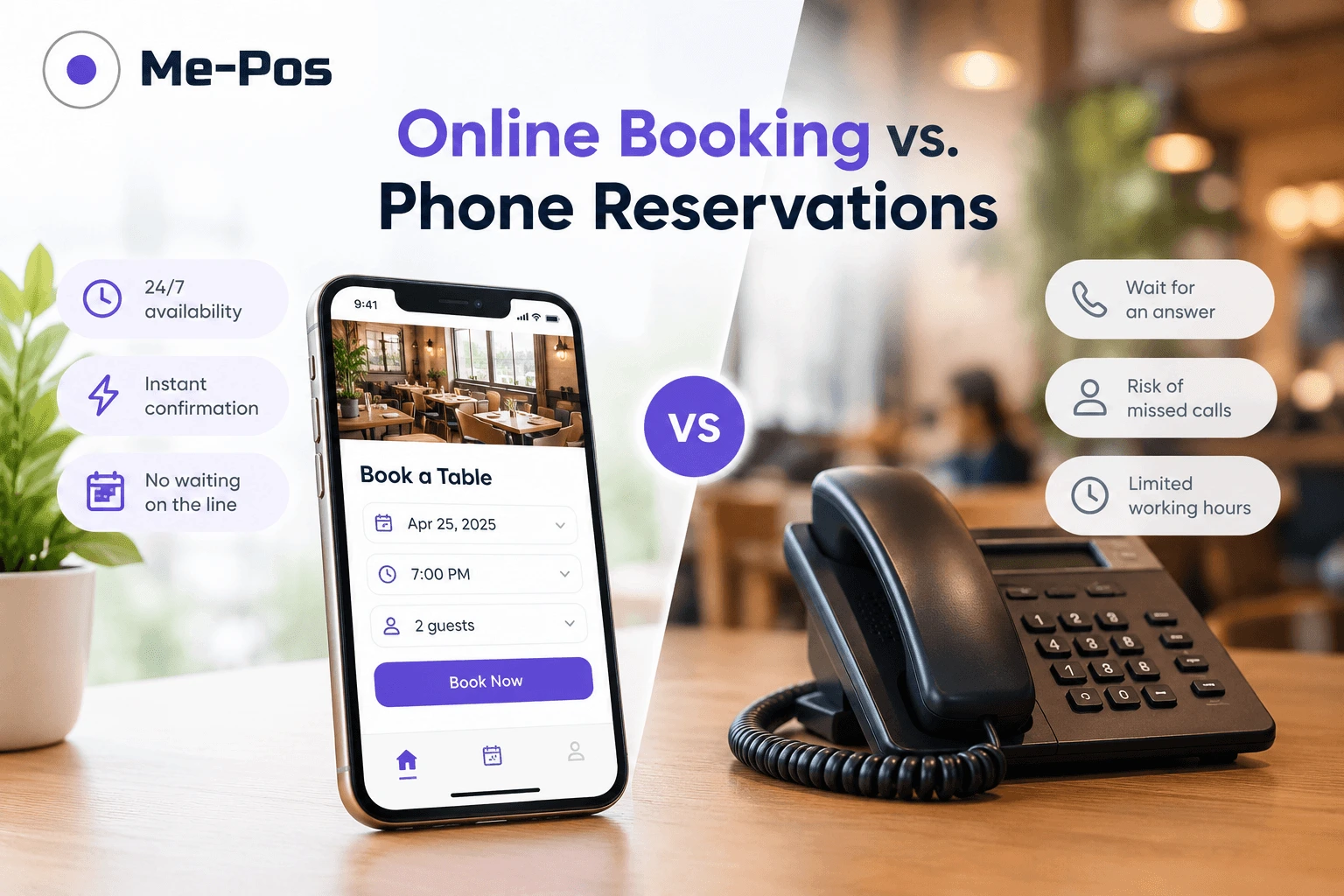
Саме тут онлайн-бронювання може мати велике значення. Замість того, щоб покладатися лише на телефонні дзвінки чи повідомлення, клієнти можуть вибрати послугу, вибрати доступний час і самостійно записатися на прийом.
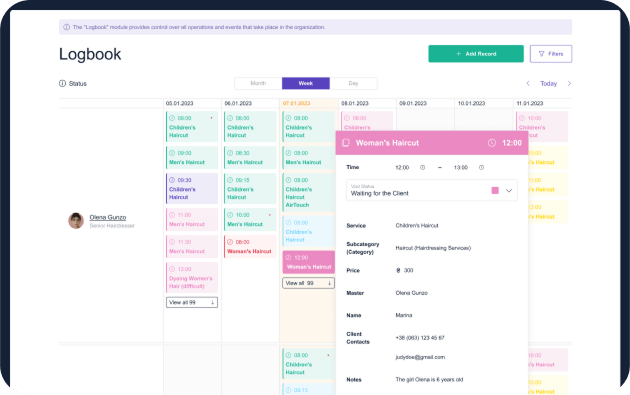
Система бронювання салонів краси може перетворити цей процес на більш організований робочий процес. У поєднанні з POS-системою салону краси вона також може допомогти пов’язати записи на прийом із записами клієнтів, платежами та щоденними операціями салону.
Отже, як його налаштувати? Давайте розглянемо цей процес.
Оберіть правильну систему бронювання
Почніть з визначення того, що насправді потрібно вашій перукарні. Простий календар бронювання може підійти для невеликої майстерні, тоді як бізнес, що розвивається, може скористатися платформою, яка поєднує записи на прийом, управління клієнтами, співробітниками, послугами та платежами.

Оберіть правильну систему бронювання
Почніть з визначення того, що насправді потрібно вашій перукарні. Простий календар бронювання може підійти для невеликої майстерні, тоді як бізнес, що розвивається, може скористатися платформою, яка поєднує записи на прийом, управління клієнтами, співробітниками, послугами та платежами.

ME-POS — це один із варіантів об’єднання цих процесів в одній системі. Замість того, щоб керувати записами на прийом окремо від інших щоденних операцій, ви можете використовувати ME-POS для підтримки більш організованого робочого процесу у вашій перукарні.
Шукайте такі функції, як:
- Онлайн-запис на прийом: Дозвольте клієнтам записатися на стрижку чи інші послуги в будь-який час, не телефонуючи в салон і не чекаючи відповіді співробітника. Це зменшує перерви та надає клієнтам більше гнучкості у виборі прийому.
- Календарі персоналу: Створюйте розклади для окремих перукарів та впорядковуйте їхній робочий час і зустрічі. Це полегшує перегляд доступних працівників та уникнення дублювання бронювань.
- Керування послугами : додавайте різні послуги, ціни та тривалість зустрічей, щоб клієнти точно знали, що вони замовляють. Точна інформація про послуги також допомагає створити більш реалістичний щоденний графік.
- Профілі клієнтів :Зберігайте важливу інформацію про клієнтів та історію зустрічей в одному місці. Це дозволяє персоналу забезпечувати більш узгоджений досвід для постійних клієнтів.
- Нагадування про зустрічі: Надсилайте клієнтам нагадування перед запланованими візитами, щоб зменшити ймовірність того, що вони забудуть про зустрічі. Нагадування також можуть заохотити клієнтів зв’язатися з магазином, якщо їм потрібно внести зміни.
- Управління доступністю: встановлюйте робочі години, вихідні дні та вільні проміжки часу для кожного перукаря. Таким чином, клієнти бачать реальну доступність, а не запитують час, коли перукар недоступний.
- Варіанти оплати: Спростіть керування платежами після надання послуг або за потреби пропонуйте варіанти онлайн-оплати. Поєднання платежів з рештою робочого процесу може зменшити повторюване введення даних.
- Історія бронювань: Ведіть облік попередніх зустрічей та послуг для кожного клієнта. Це може допомогти персоналу зрозуміти звички клієнтів та полегшити управління майбутніми візитами.
- Звітність та аналітика :переглядайте моделі бронювання, популярні послуги, періоди завантаженості та іншу корисну бізнес-інформацію. Ці дані можуть допомогти менеджерам приймати кращі рішення щодо персоналу та планування.
- Інтеграція з POS: Об’єднайте управління зустрічами з відділом продажів та іншими щоденними операціями, замість того, щоб покладатися на повністю окремі системи. ЗавдякиME-POSці функції можуть працювати разом у централізованому робочому процесі, допомагаючи команді керувати клієнтами від бронювання до оплати.
Завдяки правильній системі ваша команда може витрачати менше часу на перемикання між інструментами та виконання повторюваних завдань планування, а також більше часу зосереджуватися на клієнтах та послугах.
Розпочніть свій Me-Pos
Досвід безкоштовно!
Перш ніж приймати остаточне рішення, переконайтеся, що онлайн-бронювання Me-Pos відповідає вашим потребам та вимогам.
Використовуйте безкоштовно
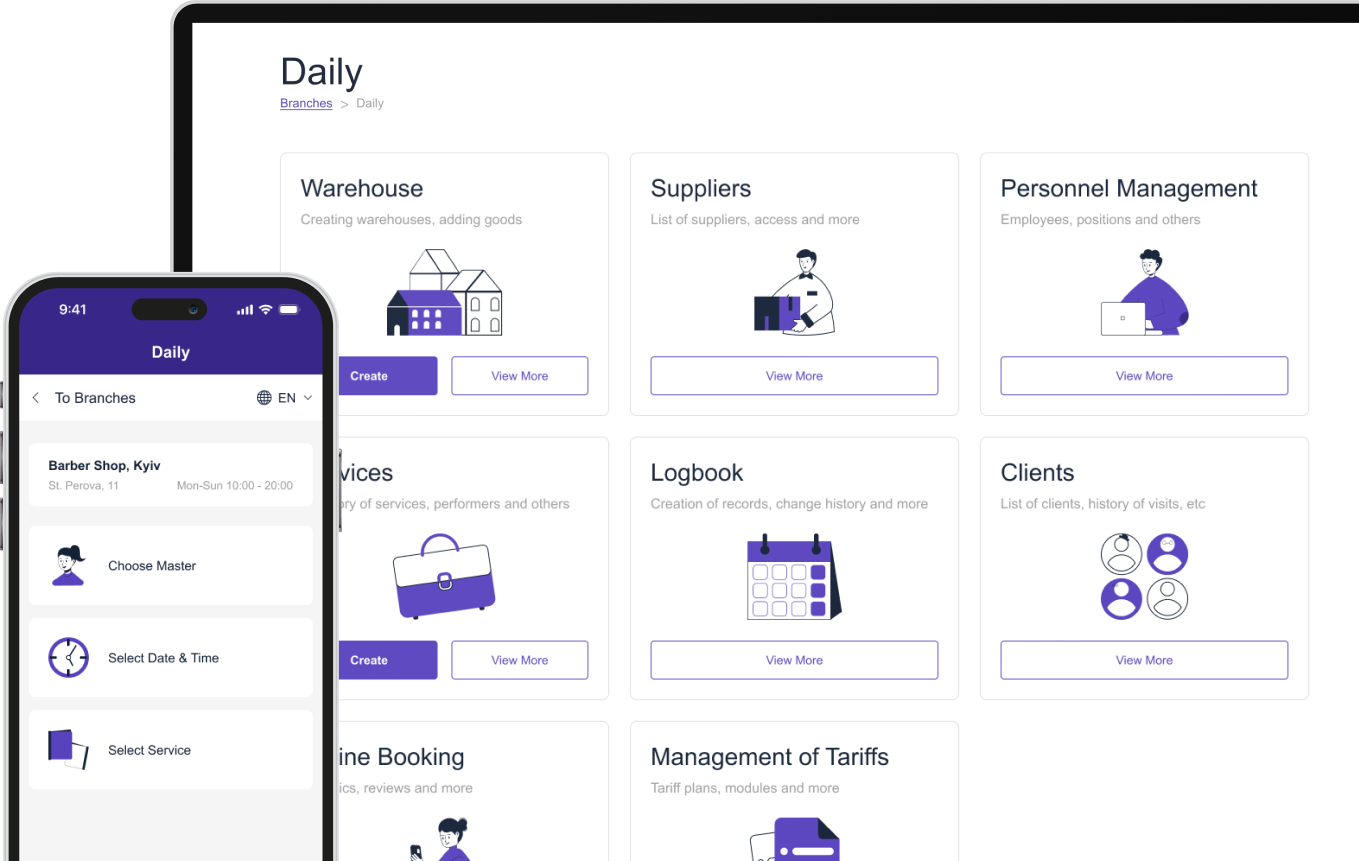
Додайте послуги вашого салону краси
Після вибору платформи створіть каталог послуг.
Не просто додавайте назви послуг. Надайте клієнтам достатньо інформації, щоб вони могли прийняти рішення, не звертаючись спочатку до вашого салону.
Для кожної послуги додайте:
- Назва служби
- Опис
- Ціна
- Орієнтовна тривалість
- Доступні співробітники
- Додаткові опції
- Інструкції з приготування, якщо потрібні
Наприклад, замість створення опції бронювання під назвою «Догляд за обличчям» ви можете використовувати «Глибоке очищення обличчя — 60 хвилин» і надати короткий опис.
Це робить процес бронювання зрозумілішим і допомагає клієнтам вибрати правильну зустріч.
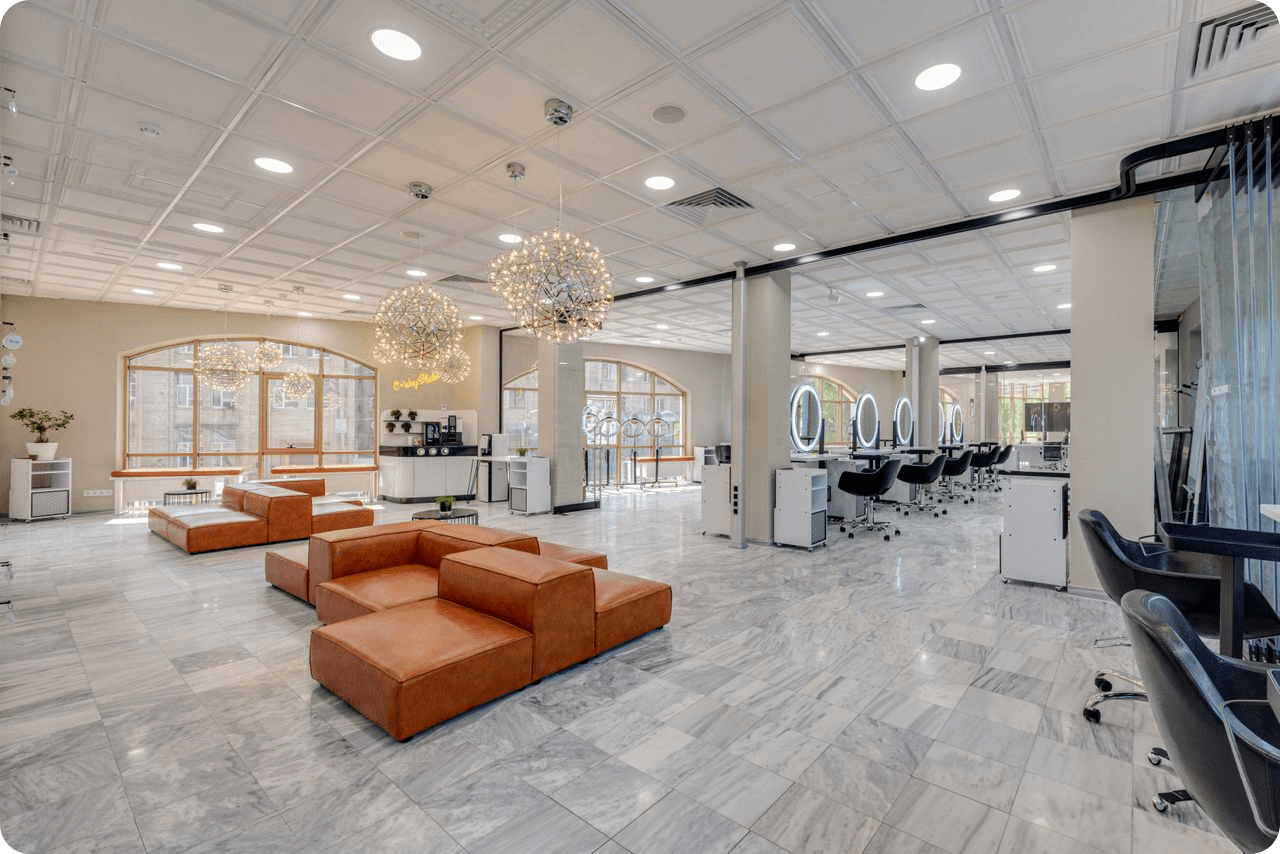
Встановити доступність співробітників
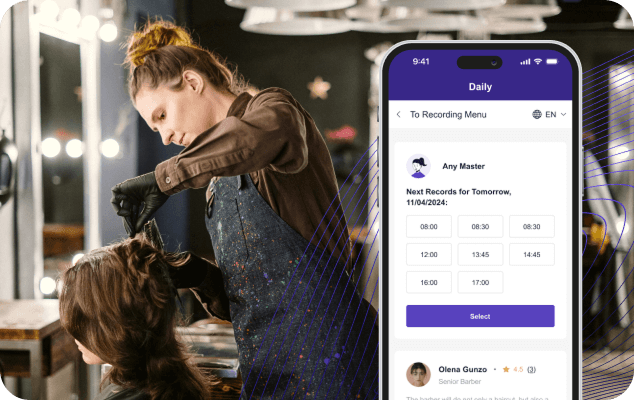
У вашому календарі бронювання має бути зазначено, коли ваша команда фактично доступна.
Додайте кожного співробітника та визначте його робочий час. Якщо різні спеціалісти надають різні послуги, підключіть ці послуги до відповідних співробітників.
Наприклад:
|
Сервіс |
Тривалість |
Доступний персонал |
Приклад ціни |
|
Стрижка |
45 хв |
Стиліст А, стиліст Б |
35 доларів США |
|
Фарбування волосся |
120 хв |
Стиліст А |
90 доларів США |
|
Манікюр |
60 хв |
Майстер манікюру А |
40 доларів США |
|
Догляд за обличчям |
60 хв |
Естетик А |
55 доларів США |
|
Масаж |
60 хв |
Масажист А |
70 доларів США |
Таке налаштування допомагає запобігти бронюванню послуг клієнтами у когось, хто їх не надає.
Це також дає вашій команді чіткіше уявлення про їхні щоденні графіки.
Створіть свій процес онлайн-бронювання
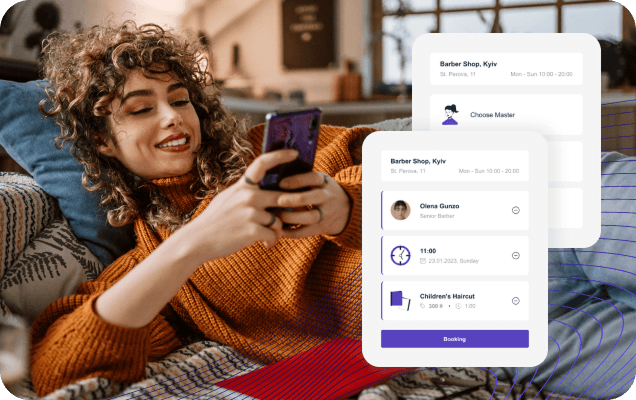
Тепер зробіть процес бронювання максимально простим.
В ідеалі, клієнт повинен мати можливість:
- Відкрийте сторінку бронювання.
- Виберіть послугу.
- Оберіть спеціаліста, якщо це можливо.
- Оберіть доступну дату.
- Виберіть зручний час.
- Введіть їхню контактну інформацію.
- Підтвердіть зустріч.
Уникайте запитів зайвої інформації. Кожне додаткове поле може зробити процес довшим.
Мета проста: вибрати → запланувати → підтвердити .
Оберіть правильну систему бронювання
Почніть з визначення того, що насправді потрібно вашій перукарні. Простий календар бронювання може підійти для невеликої майстерні, тоді як бізнес, що розвивається, може скористатися платформою, яка поєднує записи на прийом, управління клієнтами, співробітниками, послугами та платежами.
Елемент бронювання
Що налаштувати
Чому це важливо
Послуги
Додайте назви послуг, описи, ціни та тривалість
Допомагає клієнтам обрати правильне лікування
Персонал
Додайте співробітників та підключіть їх до відповідних служб
Запобігає неправильним бронюванням та конфліктам у розкладі
Робочі години
Встановіть індивідуальні графіки та вихідні для співробітників
Показує клієнтам лише справжню наявність
Тривалість зустрічі
Введіть правильний час, необхідний для кожної послуги
Запобігає дублюванню або поспішному призначенню зустрічей
Відомості про клієнта
Зберіть імена, номери телефонів та іншу необхідну інформацію
Спрощує спілкування та управління зустрічами
Нагадування
Налаштувати автоматичні сповіщення про зустрічі
Допомагає клієнтам запам'ятати майбутні візити
Платежі
Оберіть, чи клієнти платять онлайн, особисто чи через депозит
Створює більш плавний процес оплати
Сторінка бронювання
Створіть простий, зручний для мобільних пристроїв інтерфейс бронювання
Полегшує клієнтам планування зустрічей
Посилання для бронювання
Додайте посилання для бронювання на свій вебсайт та в соціальні мережі
Надає клієнтам швидкий доступ до вашого календаря зустрічей
Записи клієнтів
Пов’яжіть бронювання з профілями клієнтів та історією зустрічей
Допомагає персоналу зрозуміти постійних клієнтів та їхні попередні візити
Звіти
Відстежуйте бронювання, послуги та схеми зустрічей
Допомагає визначити періоди зайнятості та покращити планування
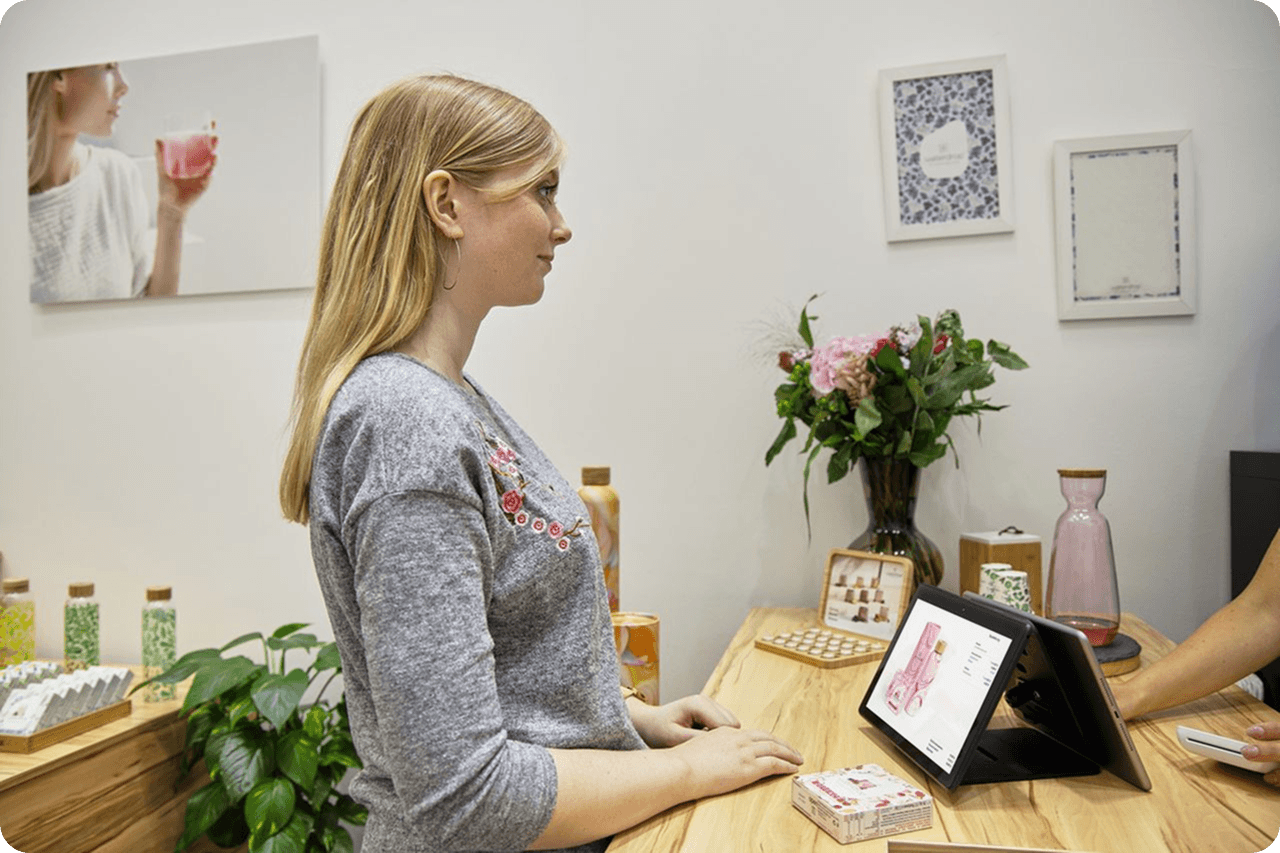
Зв'язок бронювання з інформацією про клієнта
Система онлайн-бронювання стає ще кориснішою, коли зустрічі пов'язані з профілями клієнтів.
Замість того, щоб розглядати кожне бронювання як окрему транзакцію, ви можете створити історію навколо кожного клієнта.
Залежно від системи, це може включати:
- Попередні зустрічі
- Придбані послуги
- Контактна інформація
- Історія зустрічей
- Примітки та налаштування
- Майбутні бронювання
Ця інформація може допомогти працівникам салону надавати більш персоналізоване обслуговування.
Наприклад, якщо постійний клієнт зазвичай записується на ту саму процедуру кожні чотири тижні, його попередні зустрічі можуть полегшити організацію наступного візиту.
Налаштування нагадувань про зустрічі
Клієнти зайняті. Іноді вони забувають про зустріч, яку призначили кілька тижнів тому.
Автоматизовані нагадування можуть допомогти зменшити цю проблему.
Ваш робочий процес бронювання може включати нагадування перед запланованим прийомом. Точний час залежить від вашого салону та каналів зв'язку, які ви використовуєте.
Ви можете надіслати нагадування:
- За кілька днів до призначення
- Напередодні
- У день призначення
Повідомлення повинно містити важливі деталі, такі як послуга, дата, час та місцезнаходження салону.
Це особливо корисно для салонів з великою кількістю зустрічей щодня.


Вирішіть, як клієнти будуть платити
Подумайте, коли і як ви хочете отримати платіж.
Деякі салони надають перевагу оплаті після процедури. Інші можуть вимагати онлайн-оплати або завдатку під час запису на прийом.
Ваш підхід може залежати від ваших послуг, політики скасування бронювання та очікувань клієнтів.
Система POS у салоні може допомогти зблизити робочі процеси запису на прийом та оплати. Замість того, щоб керувати бронюваннями окремо від транзакцій, ваша команда може мати більш пов'язане уявлення про візит клієнта.
Додайте посилання на бронювання всюди
Щойно ваша сторінка бронювання буде готова, переконайтеся, що клієнти справді можуть її знайти.
Не ховайте опцію бронювання десь глибоко на вашому вебсайті.
Додайте його до місць, які клієнти вже використовують для взаємодії з вашим салоном, наприклад:
- Ваш вебсайт
- Профілі в соціальних мережах
- Профіль компанії в Google
- Підписи електронних листів
- Цифрова реклама
- Повідомлення клієнтів
- Рекламні матеріали
Використовуйте чіткий заклик до дії, такий як «Забронюйте зустріч» або «Заплануйте свій візит» .
Чим легше знайти посилання для бронювання, тим менше кроків потрібно зробити клієнтам.

Тестування процесу бронювання
Перш ніж просувати свою нову систему бронювання візитів до салону, протестуйте її самостійно.
Замовте кілька різних послуг і перевірте, що відбувається на кожному етапі.
Зверніть увагу на:
- Чи правильний доступний час
- Чи правильно працюють графіки роботи персоналу
- Чи є тривалість обслуговування точною
- Чи надходять повідомлення з підтвердженням
- Чи правильно збережено інформацію про клієнта
- Чи працюють платежі належним чином
- Чи сторінка бронювання добре працює на мобільних пристроях
Спробуйте цей процес з точки зору клієнта. Якщо щось здається вам незрозумілим, це, ймовірно, також здається незрозумілим вашим клієнтам.
Використовуйте дані бронювання для покращення салону
Онлайн-бронювання – це не лише прийняття записів на прийом.
З часом ваші дані бронювання можуть демонструвати закономірності в поведінці клієнтів. Ви можете виявити, що певні послуги постійно популярні, деякі часові проміжки використовуються рідко або певні дні набагато завантаженіші, ніж інші.
Ця інформація може допомогти вам приймати кращі операційні рішення.
Наприклад, ви можете:
- Коригування графіків роботи співробітників
- Рекламуйте менш популярні години зустрічей
- Створюйте пакети послуг, що базуються на популярних послугах
- Зміна доступності послуги
- Визначте періоди підвищеної активності
- Ефективніше плануйте персонал
Завдяки такій платформі, як ME-POS , бронювання може працювати разом з управлінням клієнтами, продажами, управлінням співробітниками, інвентаризацією та звітністю, а не розглядатися як ізольований процес.
Висновок
Налаштування онлайн-бронювання для салону краси не повинно бути складним. Почніть зі своїх послуг та графіків персоналу, створіть простий процес бронювання, пов’яжіть зустрічі з інформацією про клієнтів та додайте нагадування та варіанти оплати, які відповідають вашому бізнесу.
Найголовніше – зробити бронювання зручним для обох сторін. Клієнти повинні мати можливість швидко записатися на прийом, а ваша команда повинна мати чітке уявлення про те, що відбувається протягом дня.
Добре налаштована система бронювання салонів краси може зменшити обсяг ручного планування, покращити організацію та створити більш плавний процес від першого бронювання до остаточного платежу.
Часті запитання про онлайн-бронювання салонів
Так. Невеликий салон може скористатися перевагами онлайн-бронювання, навіть якщо в ньому працює лише кілька співробітників. Це може зменшити кількість повідомлень про зустрічі та дзвінків, які вашій команді доводиться обробляти вручну.
Це залежить від вашої бізнес-моделі. Якщо клієнти регулярно звертаються до певних спеціалістів, надання їм можливості обрати стиліста може підвищити зручність та задоволеність клієнтів.
Це може спростити доступ до ваших послуг і дозволити клієнтам бронювати поза вашими звичайними робочими годинами. Це може створити більше можливостей для зустрічей, не вимагаючи від когось відповідати на кожен запит на бронювання вручну.
Під час бронювання вказуйте описи послуг та їх тривалість якомога чіткіше. Якщо помилки все ж трапляються, персонал може зв’язатися з клієнтом перед зустріччю та за потреби скоригувати бронювання.
Зробіть процес коротким, зручним для мобільних пристроїв, вказуйте точну наявність послуг та чітко пояснюйте кожну. Клієнти з більшою ймовірністю завершать бронювання, коли розуміють доступні варіанти, не ставлячи додаткових запитань.
Команда Me-Pos
Остання зміна 07.09.2026
Чи була ця стаття корисною?
Натисніть на зірку, щоб оцінити!
Дякуємо за ваш голос!

Середня оцінка: 5/5 Голоси:: 2
Будьте першим, хто оцінить цей пост!
Поділися з друзями:






























Переглянути більше
Related Articles

538
5
Поєднання онлайн- та офлайн-бронювання для максимального використання місткості вашого закладу
Для закладів, що надають послуги, — будь то салони, спа-салони, клініки, тату-студії чи центри краси — порожні часові проміжки означають втрату доходу...
Me-Pos Team
|
26.02.2026
|
8хв

64
5
Як салон краси може приймати записи цілодобово
Клієнти салонів краси не завжди мають змогу зателефонувати в робочий час. Хтось хоче записатися на стрижку під час обідньої перерви, хтось — запланува...
Me-Pos Team
|
30.10.2026
|
9хв
Як створити онлайн-меню для ресторану без навичок програмування
Створення онлайн-меню для ресторану більше не потребує навичок програмування чи складної розробки вебсайту. Завдяки конструктору цифрового меню власни...
Me-Pos Team
|
05.10.2026
|
12хв
128
5
Як створити багатомовне ресторанне меню онлайн
Ресторани дедалі частіше обслуговують клієнтів, які розмовляють різними мовами. Туристи, іноземні відвідувачі та багатомовні місцеві спільноти — усі в...
Me-Pos Team
|
26.09.2026
|
14хв
Чому цифрова трансформація дає малому бізнесу конкурентну перевагу
Ведення малого бізнесу ніколи не обмежувалося лише наявністю хорошого продукту чи наданням відмінного сервісу. Сьогодні клієнти також очікують зручнос...
Me-Pos Team
|
31.08.2026
|
12хв
Рівні доступу співробітників: Як захистити бізнес-дані, зберігаючи продуктивність вашої команди
Ведення ресторану або сервісного бізнесу означає надання співробітникам доступу до інструментів, які їм потрібні щодня. Співробітникам може знадобитис...
Me-Pos Team
|
10.08.2026
|
12хв
Використання QR-кодів у меню для готельних ресторанів та обслуговування номерів
Індустрія гостинності стає дедалі цифровішою, і очікування гостей продовжують розвиватися. Сучасні мандрівники очікують зручності, швидкості, персонал...
Me-Pos Team
|
14.06.2026
|
17хв
Варіанти використання QR-меню: пояснення від обіду в закладі до доставки та самовивозу
QR-меню еволюціонували далеко за межі простої цифрової заміни друкованих меню. У 2026 році вони стають центральною частиною ресторанних операцій, допо...
Me-Pos Team
|
09.06.2026
|
16хв

1211
5
Як скласти дизайн меню ресторану?
Розробка меню ресторану – важливий аспект ресторанної індустрії. Добре продумане меню – це не просто перелік пропонованих страв, воно слугує відображе...
Me-Pos Team
|
30.09.2024
|
15хв

Як відкрити зоомагазин: унікальні кроки та поради
Індустрія домашніх тварин процвітає, тому це ідеальний час для цього відкриття зоомагазину. У зв’язку з постійним зростанням кількості власників домаш...
Me-Pos Team
|
28.07.2025
|
12хв

Відкриття магазину алкоголю: Керівництво до запуску та роботи
Відкриття магазину алкоголю може бути захопливою і корисною подорожжю, але це не той бізнес, в який варто стрибати без підготовки. Від розуміння місце...
Me-Pos Team
|
04.04.2025
|
9хв
Розуміння цін на фудтраки: Вичерпний посібник
Отже, ви хочете відкрити фуд-трак? Чудовий вибір! Але перед тим, як вирушити в дорогу, ви маєте з'ясувати, скільки коштують фудтраки та які ще витрати...
Me-Pos Team
|
06.03.2025
|
8хв

1535
5
Ваш найкращий посібник із відкриття аптечного бізнесу
Відкриття аптечного бізнесу може бути корисною та прибутковою справою за умови правильного підходу. Аптеки відіграють важливу роль у житті громади, за...
Me-Pos Team
|
20.12.2024
|
19хв
1201
5
Відкриття спа-бізнесу: Повний посібник для досягнення успіху
Оздоровча індустрія процвітає, пропонуючи чудові можливості для підприємців, які бажають розпочати спа-бізнес. У сучасному швидкоплинному світі все бі...
Me-Pos Team
|
19.12.2024
|
12хв
Як відкрити бар: Покрокова інструкція для підприємців-початківців
Відкриття нового бару – захоплююча справа, але вона вимагає ретельного планування та уваги до деталей. Незалежно від того, чи мрієте ви створити невим...
Me-Pos Team
|
18.12.2024
|
11хв

1091
4.5
Як розпочати бізнес фургона з морозивом?
Запуск бізнесу з виробництва морозива може бути прибутковою та приємною справою для тих, хто любить бути сам собі господарем, взаємодіяти з громадою т...
Me-Pos Team
|
17.12.2024
|
16хв
1171
4
Як відкрити спортзал як бізнес: Від концепції до реальності
Відкрити власний спортзал – це чудова можливість поєднати пристрасть до фітнесу з підприємницьким успіхом. Однак це набагато більше, ніж просто оренда...
Me-Pos Team
|
20.12.2024
|
14хв
Як створити QR-меню для вашого ресторану: покроковий посібник
Спосіб, у який ресторани презентують свої меню, кардинально змінився за останні роки. Клієнти тепер очікують швидкого, зручного та безконтактного дост...
Me-Pos Team
|
07.08.2026
|
10хв
538
5
Поєднання онлайн- та офлайн-бронювання для максимального використання місткості вашого закладу
Для закладів, що надають послуги, — будь то салони, спа-салони, клініки, тату-студії чи центри краси — порожні часові проміжки означають втрату доходу...
Me-Pos Team
|
26.02.2026
|
8хв
64
5
Як салон краси може приймати записи цілодобово
Клієнти салонів краси не завжди мають змогу зателефонувати в робочий час. Хтось хоче записатися на стрижку під час обідньої перерви, хтось — запланува...
Me-Pos Team
|
30.10.2026
|
9хв
Як створити онлайн-меню для ресторану без навичок програмування
Створення онлайн-меню для ресторану більше не потребує навичок програмування чи складної розробки вебсайту. Завдяки конструктору цифрового меню власни...
Me-Pos Team
|
05.10.2026
|
12хв
128
5
Як створити багатомовне ресторанне меню онлайн
Ресторани дедалі частіше обслуговують клієнтів, які розмовляють різними мовами. Туристи, іноземні відвідувачі та багатомовні місцеві спільноти — усі в...
Me-Pos Team
|
26.09.2026
|
14хв
Чому цифрова трансформація дає малому бізнесу конкурентну перевагу
Ведення малого бізнесу ніколи не обмежувалося лише наявністю хорошого продукту чи наданням відмінного сервісу. Сьогодні клієнти також очікують зручнос...
Me-Pos Team
|
31.08.2026
|
12хв
Рівні доступу співробітників: Як захистити бізнес-дані, зберігаючи продуктивність вашої команди
Ведення ресторану або сервісного бізнесу означає надання співробітникам доступу до інструментів, які їм потрібні щодня. Співробітникам може знадобитис...
Me-Pos Team
|
10.08.2026
|
12хв
Використання QR-кодів у меню для готельних ресторанів та обслуговування номерів
Індустрія гостинності стає дедалі цифровішою, і очікування гостей продовжують розвиватися. Сучасні мандрівники очікують зручності, швидкості, персонал...
Me-Pos Team
|
14.06.2026
|
17хв
Варіанти використання QR-меню: пояснення від обіду в закладі до доставки та самовивозу
QR-меню еволюціонували далеко за межі простої цифрової заміни друкованих меню. У 2026 році вони стають центральною частиною ресторанних операцій, допо...
Me-Pos Team
|
09.06.2026
|
16хв
1211
5
Як скласти дизайн меню ресторану?
Розробка меню ресторану – важливий аспект ресторанної індустрії. Добре продумане меню – це не просто перелік пропонованих страв, воно слугує відображе...
Me-Pos Team
|
30.09.2024
|
15хв
Як відкрити зоомагазин: унікальні кроки та поради
Індустрія домашніх тварин процвітає, тому це ідеальний час для цього відкриття зоомагазину. У зв’язку з постійним зростанням кількості власників домаш...
Me-Pos Team
|
28.07.2025
|
12хв
Відкриття магазину алкоголю: Керівництво до запуску та роботи
Відкриття магазину алкоголю може бути захопливою і корисною подорожжю, але це не той бізнес, в який варто стрибати без підготовки. Від розуміння місце...
Me-Pos Team
|
04.04.2025
|
9хв
Розуміння цін на фудтраки: Вичерпний посібник
Отже, ви хочете відкрити фуд-трак? Чудовий вибір! Але перед тим, як вирушити в дорогу, ви маєте з'ясувати, скільки коштують фудтраки та які ще витрати...
Me-Pos Team
|
06.03.2025
|
8хв
1535
5
Ваш найкращий посібник із відкриття аптечного бізнесу
Відкриття аптечного бізнесу може бути корисною та прибутковою справою за умови правильного підходу. Аптеки відіграють важливу роль у житті громади, за...
Me-Pos Team
|
20.12.2024
|
19хв
1201
5
Відкриття спа-бізнесу: Повний посібник для досягнення успіху
Оздоровча індустрія процвітає, пропонуючи чудові можливості для підприємців, які бажають розпочати спа-бізнес. У сучасному швидкоплинному світі все бі...
Me-Pos Team
|
19.12.2024
|
12хв
Як відкрити бар: Покрокова інструкція для підприємців-початківців
Відкриття нового бару – захоплююча справа, але вона вимагає ретельного планування та уваги до деталей. Незалежно від того, чи мрієте ви створити невим...
Me-Pos Team
|
18.12.2024
|
11хв
1091
4.5
Як розпочати бізнес фургона з морозивом?
Запуск бізнесу з виробництва морозива може бути прибутковою та приємною справою для тих, хто любить бути сам собі господарем, взаємодіяти з громадою т...
Me-Pos Team
|
17.12.2024
|
16хв
1171
4
Як відкрити спортзал як бізнес: Від концепції до реальності
Відкрити власний спортзал – це чудова можливість поєднати пристрасть до фітнесу з підприємницьким успіхом. Однак це набагато більше, ніж просто оренда...
Me-Pos Team
|
20.12.2024
|
14хв
Як створити QR-меню для вашого ресторану: покроковий посібник
Спосіб, у який ресторани презентують свої меню, кардинально змінився за останні роки. Клієнти тепер очікують швидкого, зручного та безконтактного дост...
Me-Pos Team
|
07.08.2026
|
10хв
Переглянути більше
